

Description
Allow registered users to upload & select their own avatars.
Recommended Plugins
If you like this plugin, you’ll probably like these!
Screenshots
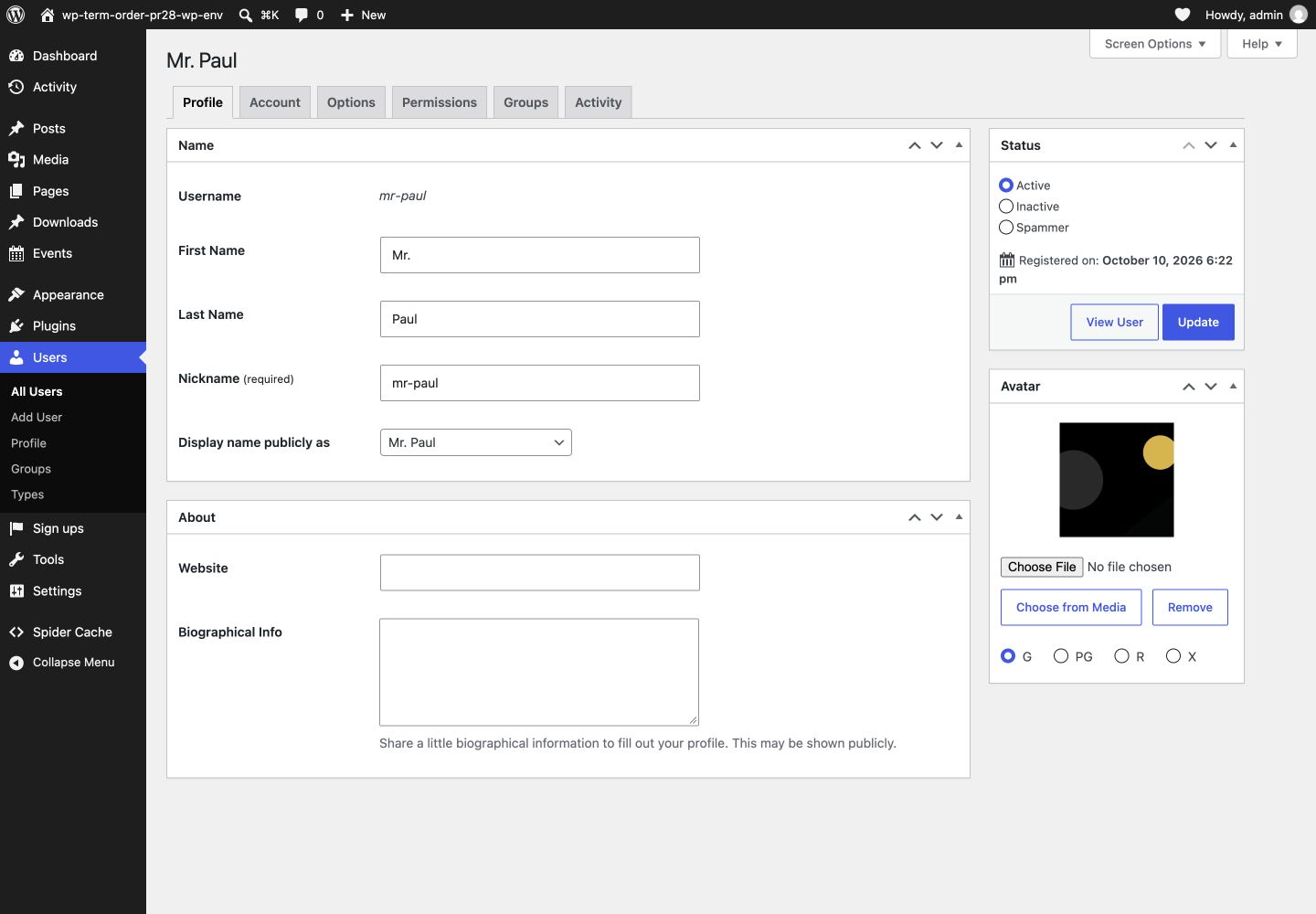
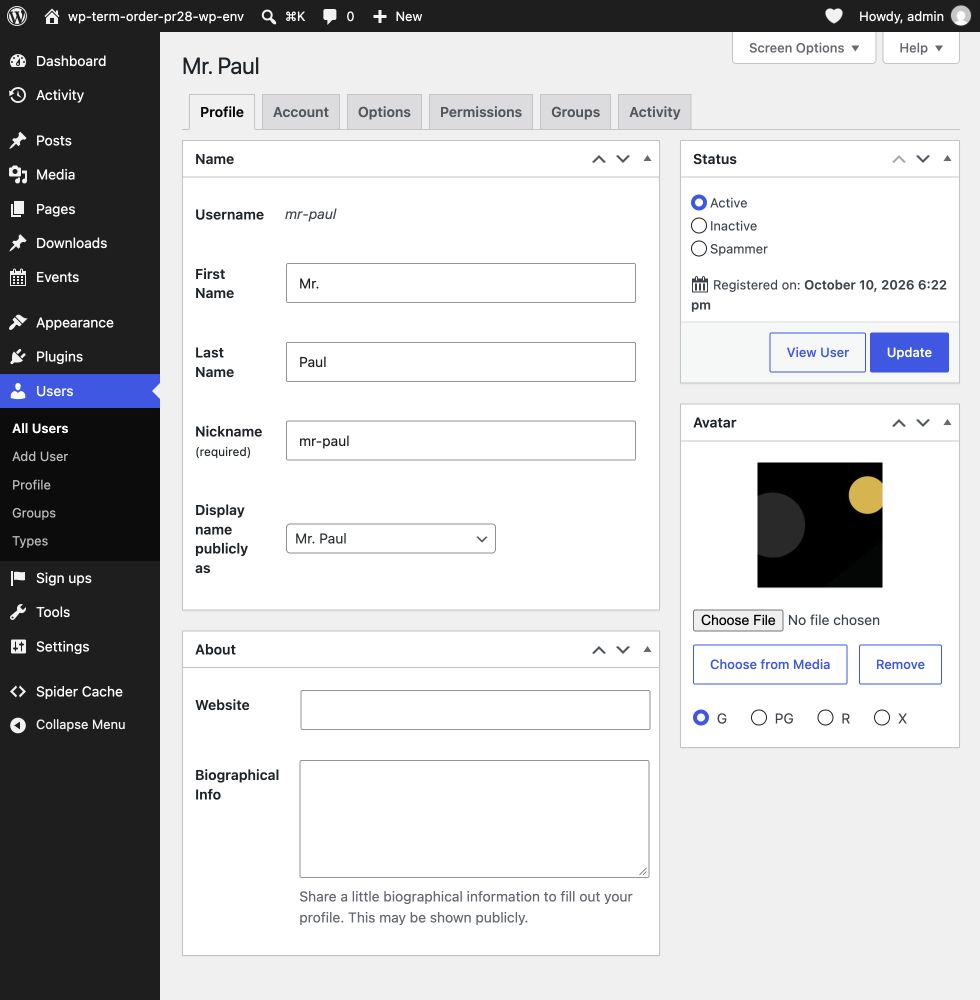
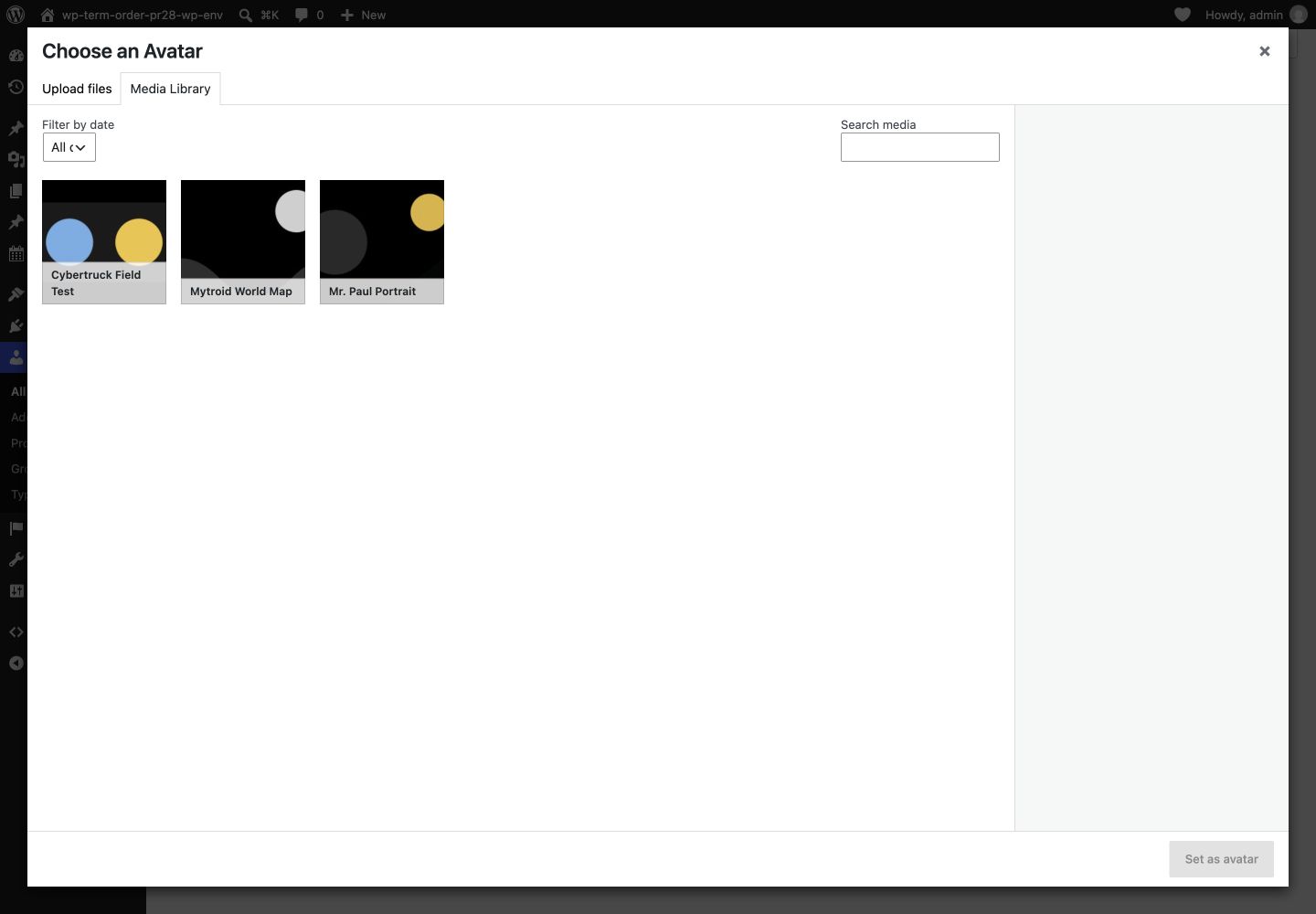
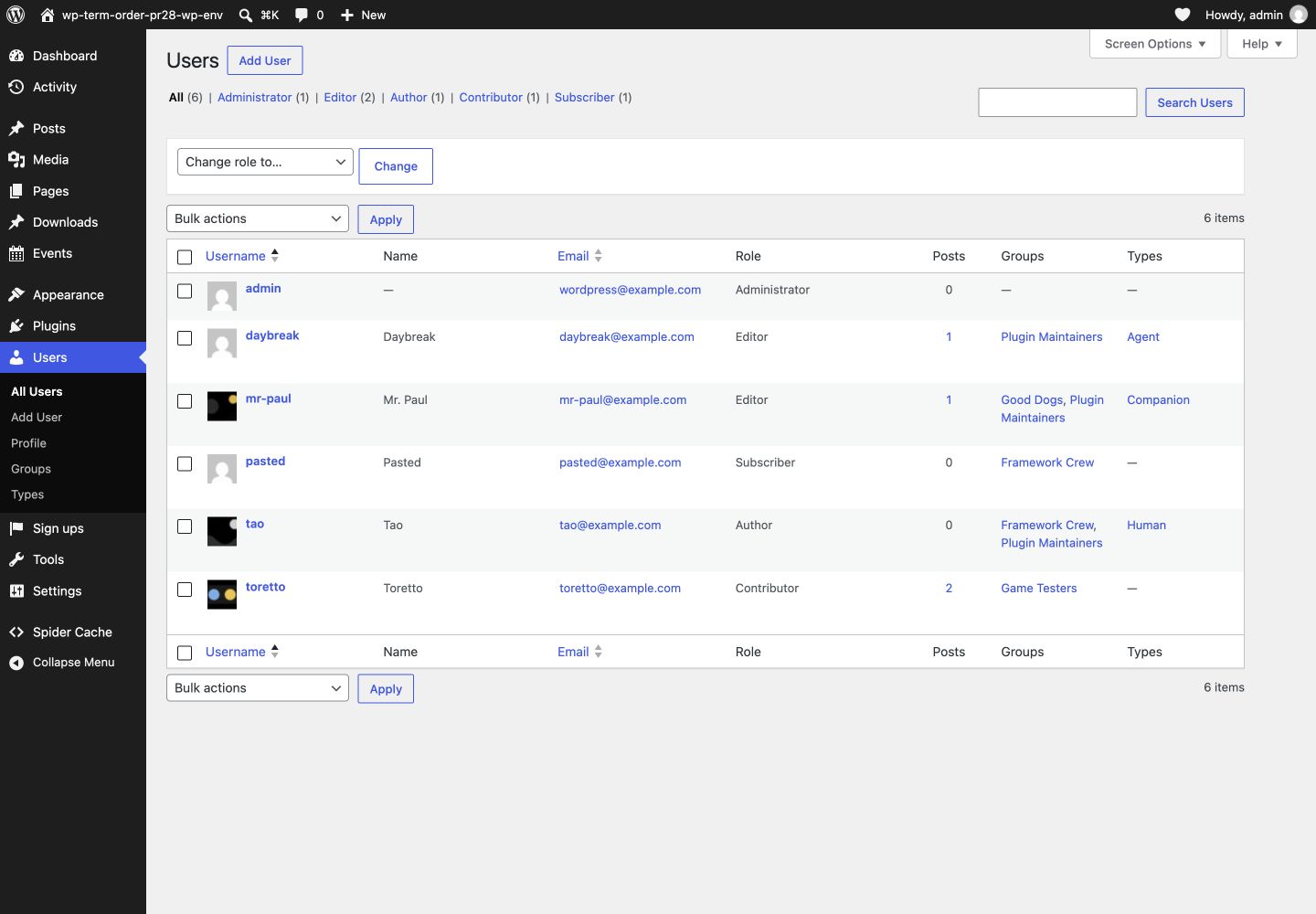
Blocks
This plugin provides 1 block.
- User Avatar Editor Let the signed-in user update their avatar.
Installation
- Download and install using the built in WordPress plugin installer.
- Activate in the “Plugins” area of your admin by clicking the “Activate” link.
- No further setup or configuration is necessary.
FAQ
-
How does this work with multisite?
-
It works OK, but you’ll want to consider exactly what level of privacy is best for your installation.
-
How do I add the avatar editor to a normal page?
-
Add the User Avatar Editor block or
[wp_user_avatars]shortcode to an existing page. Both display the avatar editor for the signed-in user and do not create a profile page, registration flow, or membership system.The block adds no heading or description by default. Add either inline in the editor when the surrounding page needs more context. The block also supports background, text, border, spacing, typography, and wide-alignment controls.
The shortcode uses the same avatar capabilities, upload restrictions, ratings, and Media Library permissions as the WordPress profile and bbPress profile integrations. Users without Media Library access can still upload their own avatar when the site’s avatar permissions allow it. Uploads can include a rating without JavaScript. Rating changes and removal also work without JavaScript when an avatar already exists. Choosing an existing Media Library image requires JavaScript.
Theme and plugin developers can render the same current-user editor with
wp_user_avatars_get_editor().The front-end editor uses semantic form groups instead of WordPress admin table markup. Themes can customize the
wp-user-avatars-frontend-formclasses. The block exposes--wp-user-avatars-card-*CSS custom properties on its wrapper. The block controls and shortcode expose--wp-user-avatars-button-*and--wp-user-avatars-primary-*properties on the block wrapper or an ancestor of the shortcode. -
How do I display a larger or sharper avatar?
-
WP User Avatars uses the image size requested by WordPress. Ask for the intended display size instead of enlarging the default 96-pixel image with CSS:
echo get_avatar( get_the_author_meta( 'ID' ), 256 );When you only need the URL, pass the size explicitly:
$url = get_avatar_url( $user_id, array( 'size' => 256 ) );WordPress requests a 2x source for
get_avatar(), so the first example can also provide a sharper image on high-density displays when the uploaded source is large enough. Theme builders need to expose or pass the intended avatar size; CSS alone cannot recover detail from a 96-pixel URL. -
How do I set alternative text for an avatar?
-
WordPress creates avatar image markup. Pass meaningful alternative text as the fourth argument to
get_avatar()when the avatar conveys information:echo get_avatar( $user_id, 96, '', 'Portrait of Jane Doe' );WordPress escapes that value when it creates the HTML attribute. WP User Avatars supplies the image URL and preserves the caller’s alternative text. It does not copy alternative text from a Media Library attachment. A directly uploaded avatar may not have an attachment, and WordPress uses the same empty value when a caller omits alternative text or deliberately marks an avatar as decorative. Leave the fourth argument empty when nearby text already identifies the person and the avatar adds no information. Themes that build their own
<img>markup must set thealtattribute themselves. -
How do I limit generated avatar sizes?
-
WP User Avatars creates a square derivative the first time WordPress requests an uncached size for a directly uploaded avatar. To disable future plugin-owned dynamic resizing, add this to a site plugin, must-use plugin, or your theme’s
functions.phpfile:add_filter( 'wp_user_avatars_dynamic_resize', '__return_false' );To allow only selected sizes, inspect the requested size with the same filter:
add_filter(
    'wp_user_avatars_dynamic_resize',
    function ( $resize, $user_id, $size ) {
        $allowed_sizes = array( 96, 192, 256, 512 );

        return $resize && in_array( (int) $size, $allowed_sizes, true );
    },
    10,
    3
);
For a directly uploaded avatar or a locally stored Media Library attachment, a disallowed uncached request falls back to the original full-size URL. A derivative that was already cached remains available. Disallowing a size does not delete existing files or change stored avatar data. Remotely stored Media Library attachments continue to use WordPress image-size resolution.
-
Where can I get support?
-
- Community: https://wordpress.org/support/plugin/wp-user-avatars
- Development: https://github.com/stuttter/wp-user-avatars/discussions
Reviews


Contributors & Developers
“WP User Avatars” is open source software. The following people have contributed to this plugin.
Contributors
“WP User Avatars” has been translated into 10 locales. Thank you to the translators for their contributions.
Translate “WP User Avatars” into your language.
Interested in development?
Browse the code, check out the SVN repository, or subscribe to the development log by RSS.
Changelog
2.1.0
- Add a User Avatar Editor block and
[wp_user_avatars]shortcode for normal pages. - Keep local avatars ahead of avatar providers that return early, including when their URLs match.
- Preserve the primary profile save action when avatar controls are present.
- Explain avatar display sizes and generated-size limits.
- Document avatar alternative-text behavior for themes and plugins.
2.0.1
- Avoid warnings and deny avatar capability checks without a valid target user.
- Use HTTPS for stored avatars hosted on the owning site’s HTTPS origin.
- Preserve external avatar URLs and local resizing after an HTTPS migration.
2.0.0
- Require PHP 7.4 and WordPress 6.4 or newer.
- Declare compatibility with WordPress 7.1.
- Add WebP avatar uploads.
- Prevent blocked Gravatar requests from leaking from the Comments screen.
- Support remotely stored avatars, including WP Offload Media.
- Support instant avatar uploads and previews.
- Support avatar uploads, Media Library selection, and removal on bbPress profile screens.
- Restrict Media Library selection to users who can browse it.
- Display the avatar preview when public avatar display is disabled.
- Improve uploads, translation loading, file deletion, automated testing, and contributor tooling.
[1.4.1] – 2021-05-29
- Update author info
- Add sponsor link
1.4.0
- Improved support for long file names
1.3.0
- Fix local avatars in comments
1.2.0
- BuddyPress profile styling support
1.1.1
- Rename functions.php to common.php
1.1.0
- Compatibility with future versions of WP User Profiles
1.0.2
- Fix bug with “Default Avatar” display introduced in 1.0.1
1.0.1
- Improved mu-plugins location support
- Use WordPress 4.2+ functions & filters
0.2.0
- Support for User Profiles 0.2.0
0.1.8
- Hide “Profile Picture” section (WordPress 4.4)
0.1.7
- Improve capability mappings
- Improve required file loading
- Remove unused action hook
0.1.6
- Improve support for user dashboard
0.1.5
- Support for WP User Profiles 0.1.7
0.1.4
- Bump assets & update readme’s & metadata
0.1.3
- Improve compatibility with WP User Profiles
0.1.2
- Improve avatar styling
0.1.1
- Retina support for user profiles
0.1.0
- Initial release