

Description
Klarvo Access fixes real accessibility problems in your store’s actual served HTML — it is not an overlay or an accessibility widget.
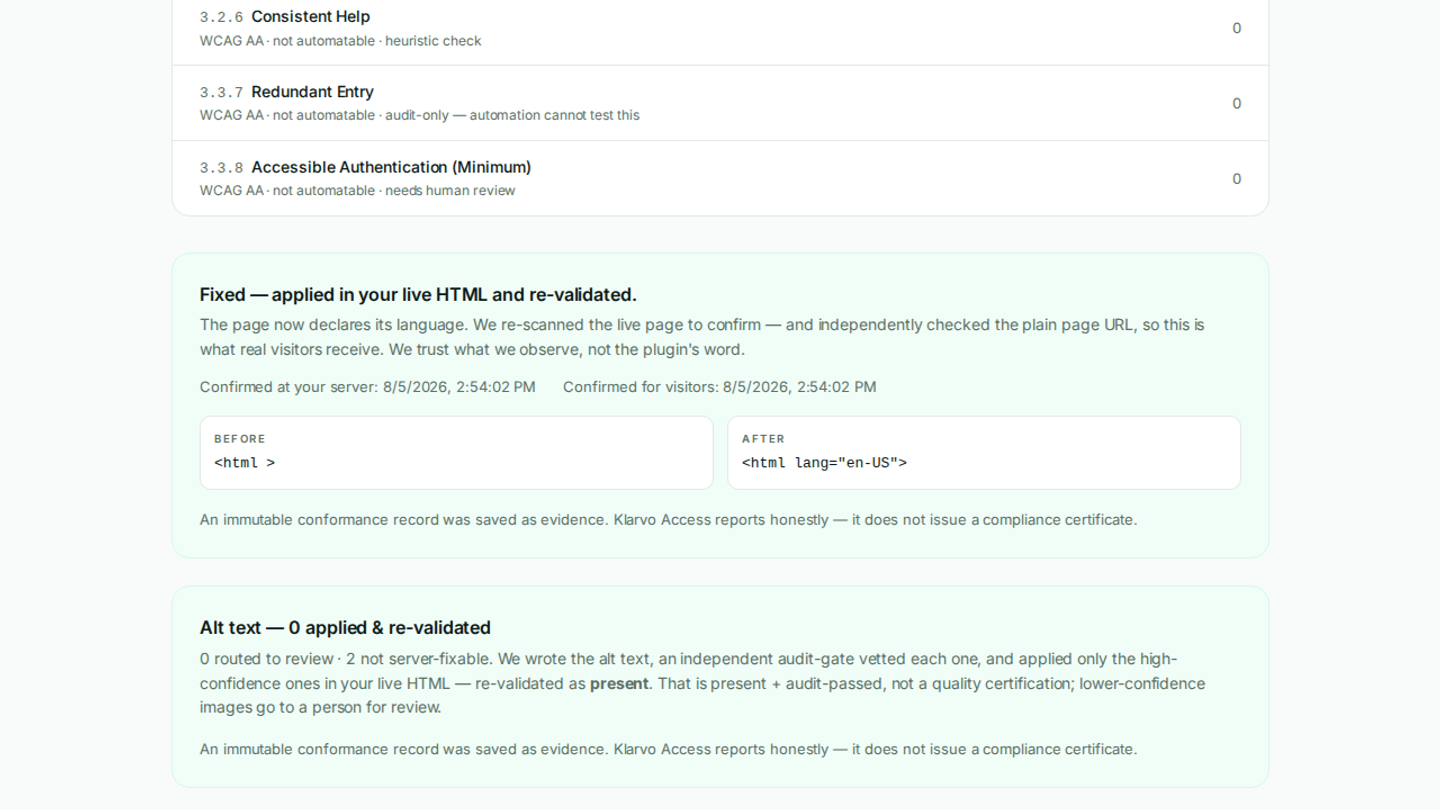
Accessibility overlays were rejected by the market and by regulators (the US FTC fined one overlay vendor $1,000,000). Klarvo Access takes the opposite approach: the Klarvo Access service scans your store, generates code-level fixes (alt text, link and button names, form labels, document language, colour contrast), and this plugin applies them server-side in the real HTML that browsers and screen readers receive. Deactivate the plugin and every change reverts cleanly.
If your site uses full-page caching, the plugin purges your page cache automatically whenever fixes change — it integrates with WP Rocket, LiteSpeed Cache, W3 Total Cache, WP Super Cache, SiteGround Optimizer, the Cloudflare plugin, WP-Optimize, Hummingbird, Breeze and Varnish (Cloudways). The Klarvo Access service then independently verifies the fixed page is what real visitors receive; where a cache can’t be purged automatically, the fix is honestly shown as “waiting for your page cache” until it is.
The plugin works alongside the Klarvo Access service (a paid subscription — see klarvoaccess.com). You connect your store once; the service detects issues and pushes validated fixes, which this plugin stores and applies.
What it does
- Applies fixes in your live HTML, server-side — targeted tag rewrites in the output, never client-side JavaScript painted over the page. Screen readers and assistive technology receive the corrected markup.
- Reversible and safe — fixes are stored locally; deactivating the plugin removes every applied change. Targeted tag rewrites with an integrity fail-safe preserve your markup (block-theme inline SVGs are not corrupted).
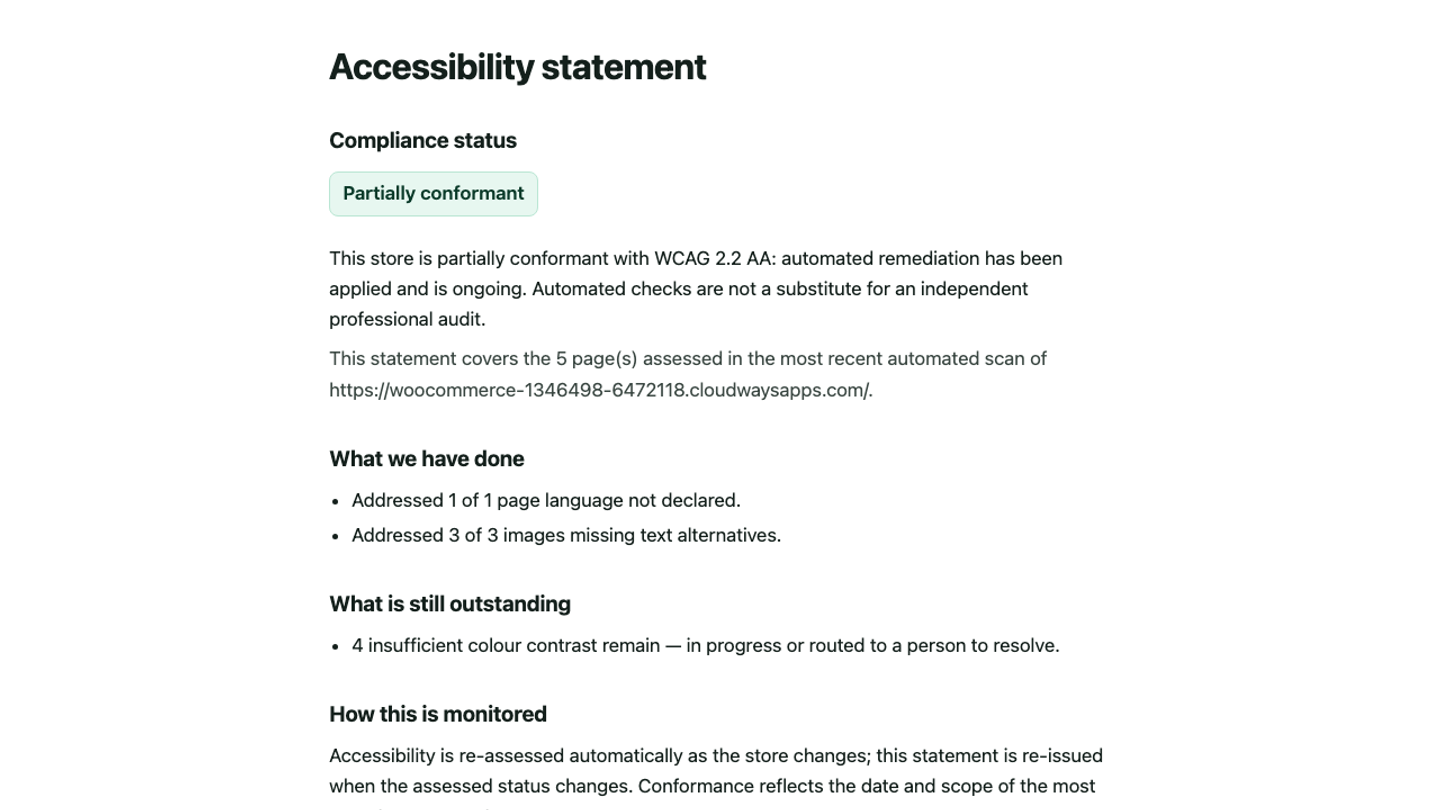
- Serves an accessibility statement — an honest, structured statement page generated from your real conformance data, published at a fixed URL on your site.
- WooCommerce-aware — built for stores. Fixes apply server-side across your site’s served pages; scanning covers your homepage and the key store pages the service discovers.
Honest by design
Klarvo Access reports honestly and fixes what automation can. It does not issue a compliance certificate — no software can, and any plugin that claims to make you “100% compliant” or “lawsuit-proof” is the problem. A conformance certificate (WCAG 2.2 AA, scoped and dated) comes only from the Klarvo Access professional human audit add-on. This plugin never makes a legal-immunity or permanent-compliance claim.
Who it’s for
WooCommerce and WordPress merchants who need to move toward conformance with the European Accessibility Act (EAA, in force since 28 June 2025) and the ADA, with WCAG 2.2 AA as the technical target — and who want real fixes plus recovered revenue from customers an inaccessible store excludes.
External services
This plugin connects to the Klarvo Access service (the Klarvo Access engine) to detect accessibility issues, receive validated fixes, and publish your accessibility statement. The plugin does not function without this service; using it requires a Klarvo Access account.
What is sent, and when:
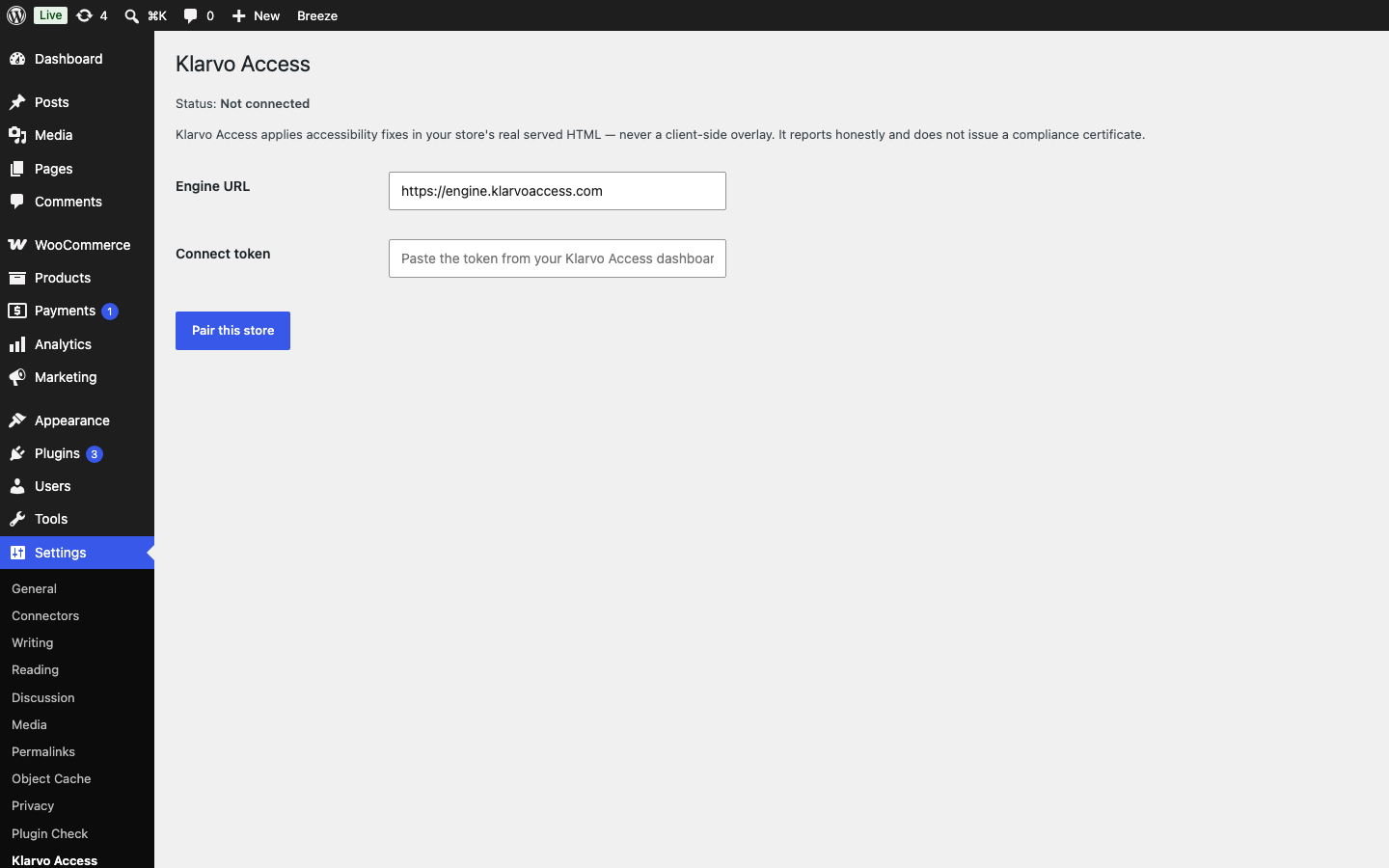
- When you connect (pair) your store: your site’s URL and a one-time connection token you generate, sent to the Klarvo Access engine to establish a secure per-site key. No customer or personal data is sent.
- On an ongoing basis: the Klarvo Access engine fetches your store’s public pages (as a normal web request) to detect accessibility issues, and pushes accessibility fixes and your accessibility-statement content back to this plugin over an authenticated connection. The plugin receives and applies that content; it does not transmit your customers’ personal data to the service.
The service endpoint is configurable; the default is https://engine.klarvoaccess.com.
- Service: Klarvo Access — https://klarvoaccess.com
- Terms of Service: https://klarvoaccess.com/terms
- Privacy Policy: https://klarvoaccess.com/privacy
Screenshots
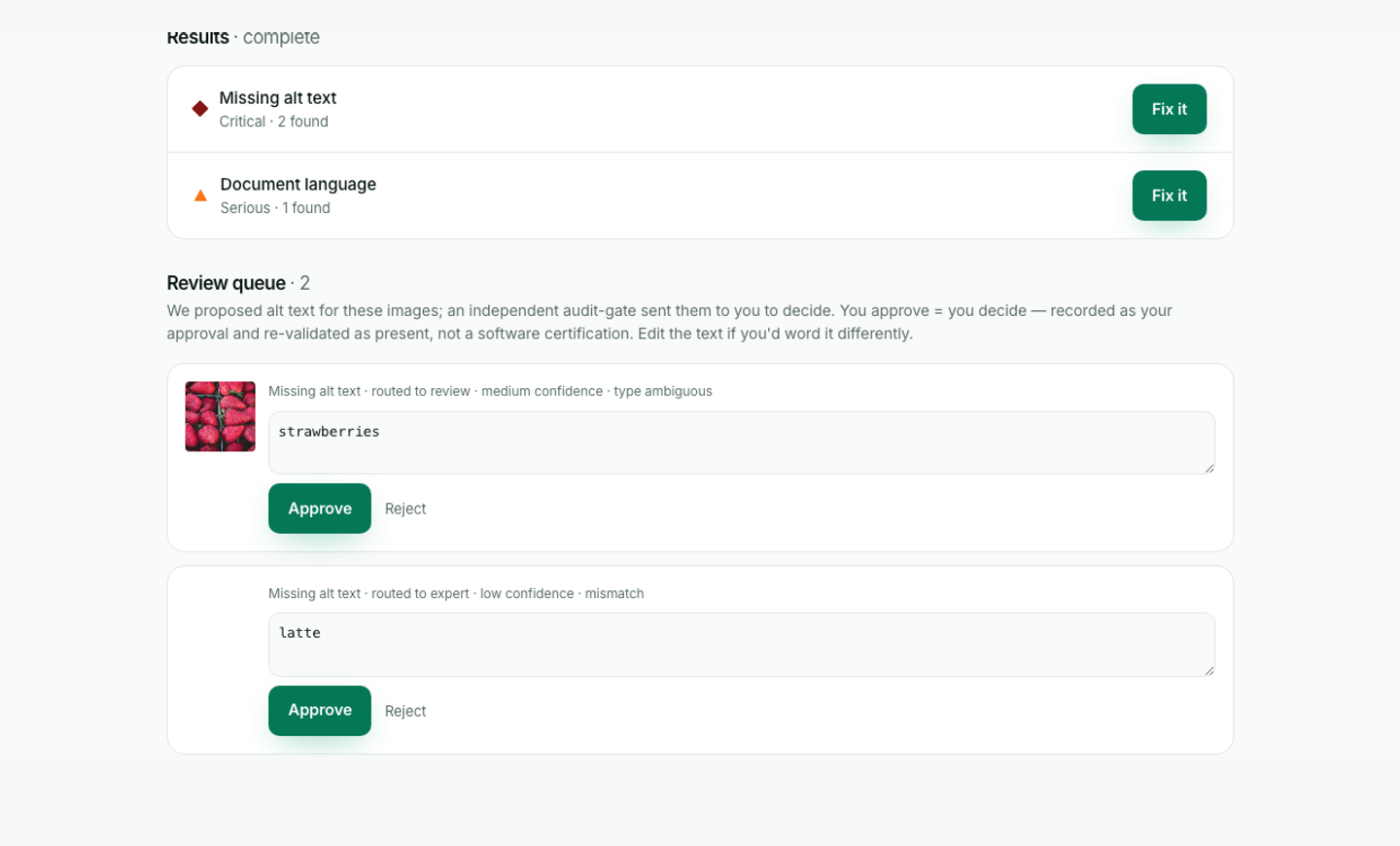
Installation
- Install and activate the plugin.
- Create a Klarvo Access account at klarvoaccess.com and add your store.
- In your store, go to Settings Klarvo Access, generate a connection token from your Klarvo Access dashboard, and pair your store.
- Run a scan from your Klarvo Access dashboard. Validated fixes are pushed to your store and applied automatically.
- Optionally publish your accessibility statement from the dashboard.
Deactivating the plugin removes all applied fixes and the statement page.
FAQ
-
Is this an accessibility overlay or widget?
-
No. Overlays inject client-side JavaScript that paints changes on top of the page; assistive technology often still receives the original, broken markup. Klarvo Access rewrites the real served HTML server-side, so screen readers receive the corrected page. There is no widget, toolbar, or overlay.
-
Does the plugin work on its own?
-
No. It applies fixes generated by the Klarvo Access service and requires a Klarvo Access account (a paid subscription). Scanning your store is free; applying fixes requires a paid plan.
-
Will this make my site “100% compliant” or protect me from lawsuits?
-
No, and we will never claim that. Automated tools cannot establish full conformance, and no one can guarantee legal immunity. Klarvo Access fixes what automation can and reports the rest honestly. A WCAG 2.2 AA conformance certificate (scoped and dated) is issued only by the Klarvo Access professional human audit add-on.
-
What happens if I deactivate the plugin?
-
Every applied fix is removed and the served HTML returns to its original state. The accessibility statement page is removed. Your page cache is purged so visitors receive the reverted pages too. Stored data (the fix list and settings) remains, so re-activating restores your fixes.
-
What happens if I uninstall the plugin?
-
Uninstalling removes all stored data: the fix table and every plugin setting (pairing, keys, the statement copy, cache state). Nothing is left in your database. Your site serves its original, untouched HTML.
-
How does it work with full-page caching?
-
When fixes change, the plugin purges your page cache automatically (WP Rocket, LiteSpeed Cache, W3 Total Cache, WP Super Cache, SiteGround Optimizer, the Cloudflare plugin, WP-Optimize, Hummingbird, Breeze, and Varnish). The Klarvo Access service then independently checks the page real visitors receive; until your cache serves the fixed page, the fix is honestly shown as “waiting for your page cache” — never falsely marked complete.
-
Is it compatible with my theme?
-
Yes — it applies targeted rewrites to the served HTML and is theme-agnostic. It is tested with block themes (it preserves inline SVGs and other markup that naive HTML processors corrupt).
Reviews
There are no reviews for this plugin.
Contributors & Developers
“Klarvo Access – Accessibility Fixes for WooCommerce” is open source software. The following people have contributed to this plugin.
Contributors
Translate “Klarvo Access – Accessibility Fixes for WooCommerce” into your language.
Interested in development?
Browse the code, check out the SVN repository, or subscribe to the development log by RSS.
Changelog
1.0.0
- First public release of the Klarvo Access service connector.
- Applies reversible accessibility fixes server-side in the real HTML, with an integrity fail-safe and independent served-page verification.
- Supports alternative text, link and button names, form labels, document language, colour contrast, skip links, landmarks, headings, and other store-focused remediations.
- Includes an honest served accessibility statement, a human review queue, internationalisation, complete uninstall cleanup, and automatic integration with common WordPress page caches.
0.2.0
- Cache-aware apply: automatic page-cache purging (WP Rocket, LiteSpeed, W3 Total Cache, WP Super Cache, SiteGround Optimizer, Cloudflare plugin, WP-Optimize, Hummingbird, Breeze, Varnish) whenever fixes change, plus cache observability for the service.
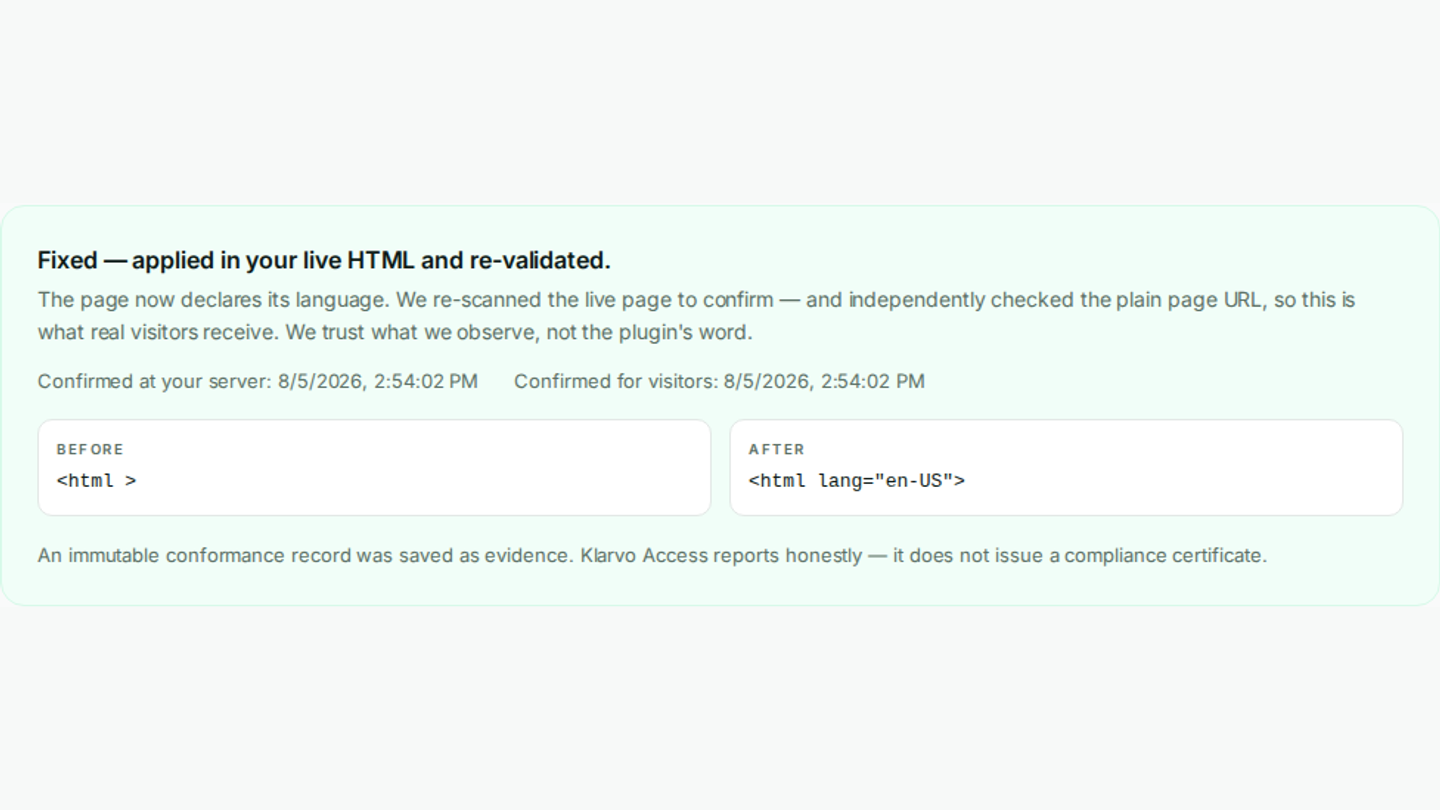
- Real document language: the service now reads your store’s actual language for
langfixes (no hardcoded values). - Full internationalisation (text domain
klarvo-access) and a complete uninstall routine (removes the fix table and all settings). - Production service endpoint as the default; quality and safety hardening throughout.
0.1.0
- Initial release: server-side fix application (targeted tag rewrite), engine pairing, fix store, authenticated REST endpoints, and the served accessibility statement.