

Description
Cal.com is an open-source alternative to Calendly that allows easy appointment booking and meeting scheduling without back-and-forth emails.
This plugin enables you to:
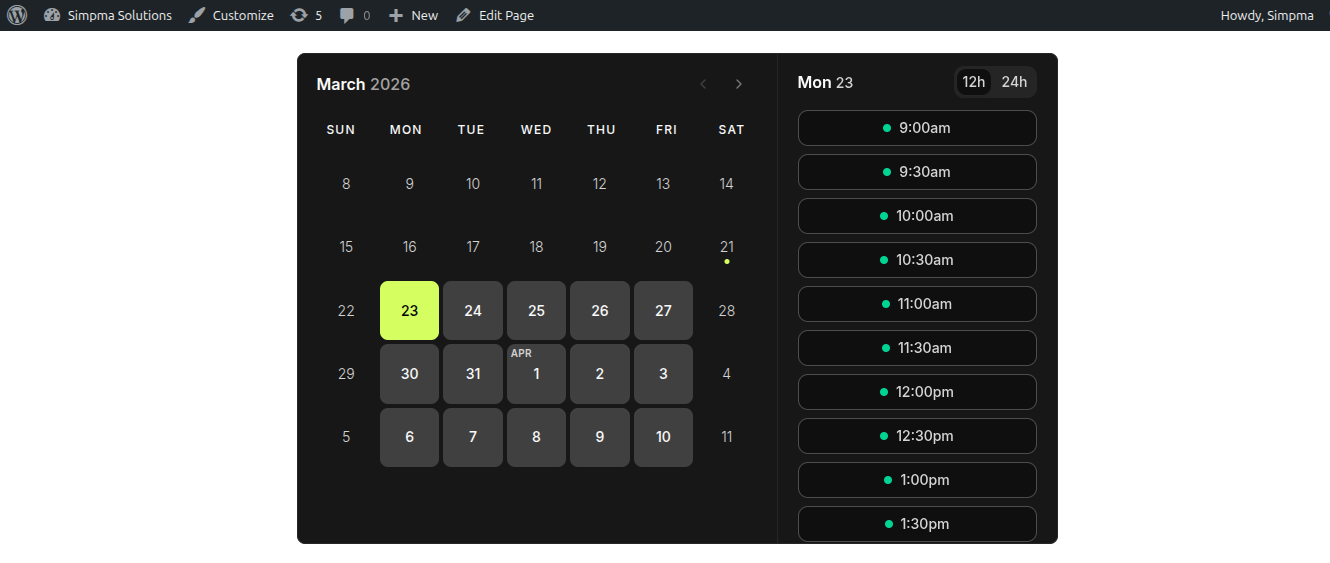
- Embed your Cal.com booking calendar inline, as a popup, or as a floating widget.
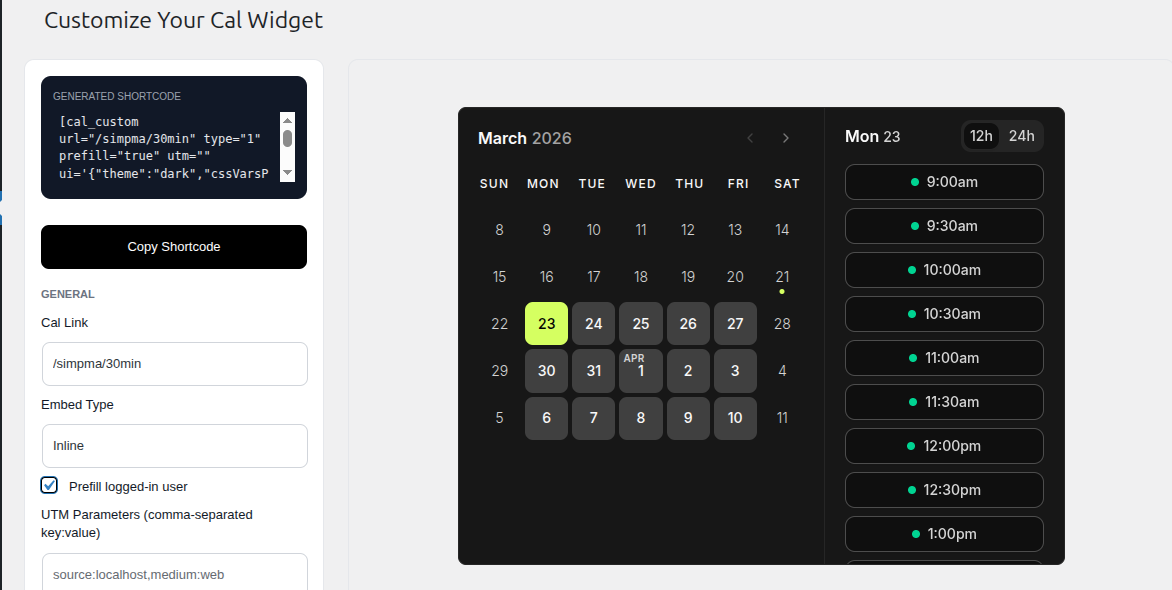
- Customize UI with theme colors, layout, and event details visibility.
- Pre-fill user information and add UTM tracking parameters.
- Use the new admin widget customizer for styling your calendar with real-time previews.
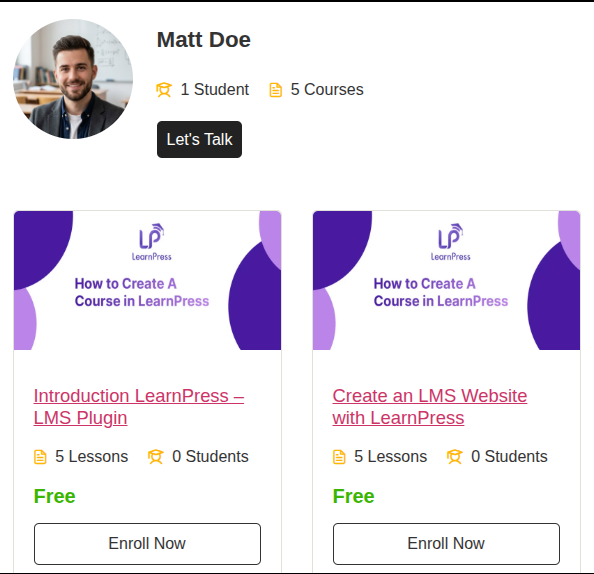
- Trigger a Cal.com scheduling button directly inside contact form confirmation screens, LMS instructors profile, WooCommerce and membership profiles.
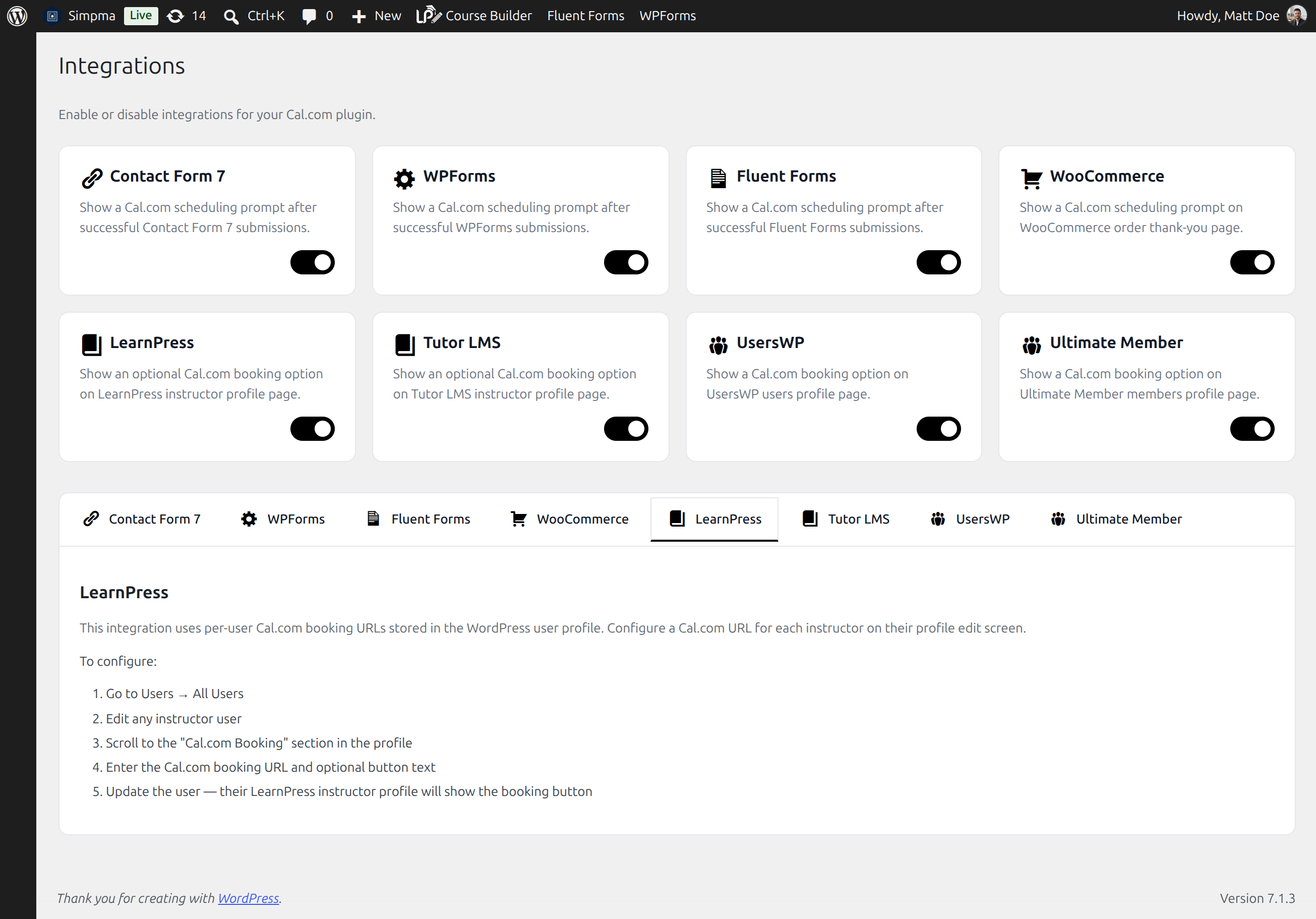
- Available integrations: Contact Form 7, Fluent Forms, WPForms, Learn Press, Tutor LMS, Ultimate Member, UsersWP, and WooCommerce.
Profile Integrations
The plugin supports per-user Cal.com booking URLs on the following platforms:
- Tutor LMS: Booking button appears on instructor profile pages.
- LearnPress: Booking button appears on single instructor pages.
- Ultimate Member: Booking button appears on member profile pages.
- UsersWP: Booking button appears on member profile pages.
To configure:
- Go to Users All Users in the WordPress admin.
- Edit any user (instructor or member).
- Scroll to the “Cal.com Booking” section.
- Enter the Cal.com booking URL (e.g.,
https://cal.com/example/consultation). - Update the user.
Contact Form 7, Fluent Forms, WPForms Integration
Trigger a Cal.com scheduling button directly inside contact form confirmation screens.
To configure:
- Go to Cal.com > Integrations and enable the Contact Form 7 integration.
- Configure your Cal.com event URL (e.g.,
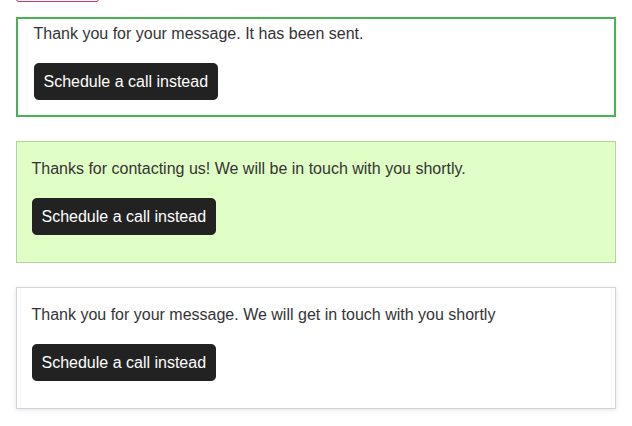
https://cal.com/example/30min). - When a visitor submits a form successfully, a scheduling prompt with a “Schedule a call instead” button will appear below the form, opening your Cal.com event in a modal popup.
WooCommerce Integration
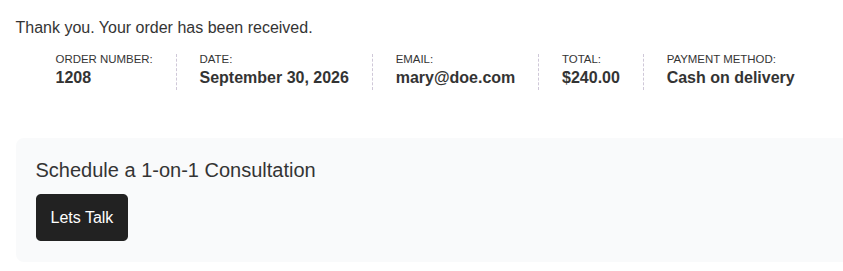
Display a Cal.com scheduling prompt in order thank-you pages.
To configure:
- Go to Cal.com > Integrations and enable the WooCommerce integration.
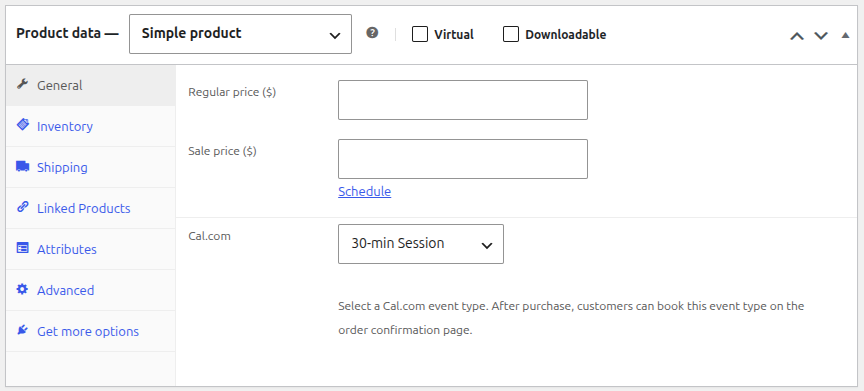
- Go to Products > All Products > Edit or Products > Add New Products and configure your Cal.com event URL (e.g.,
https://cal.com/example/30min) per product. - After a successful product purchase, a scheduling section will appear in the order thank-you page.
Shortcodes
[cal url=”/username/meetingid” type=1]
Embed inline calendar.
[cal url=”/username/meetingid” type=2 text=”Schedule a call”]
Embed popup trigger button.
[cal_custom url=”/demo/30min” type=1 prefill=”true” utm=”source:localhost” ui='{“theme”:”dark”,”cssVarsPerTheme”:{“dark”:{“cal-brand”:”#a3ffcb”}},”hideEventTypeDetails”:true,”layout”:”week_view”}’ config='{“layout”:”week_view”,”useSlotsViewOnSmallScreen”:true,”disableMobileScroll”:true}’]
Embed customizable widget with full UI control, prefill, and UTM support.
Shortcode Attributes
- url: URL of the booking calendar.
- type: Embed type (1 = inline, 2 = popup, 3 = floating button for
[cal_custom]). - text: Button text for popup embeds.
- prefill: Set to
trueto prefill user info if available. - utm: Comma-separated UTM tracking parameters (e.g.,
source:newsletter, medium:email). - ui: JSON object for theme, layout, and visibility customization.
- config: JSON object for advanced widget configuration (slots view, scrolling, etc.).
CSS Customization
Customize popup/button text via CSS targeting #calcom-embed-link:
#calcom-embed-link, .calcom-embed-link {
    background-color: #222222;
    padding: 15px;
    color: #fff;
    font-size: 16px;
    text-align: center;
    cursor: pointer;
}<h3>Use of  3rd Party Software</h3>
This plugin relies on Cal.com embed. See their Privacy Policy and Terms of use.
Use Cases
The plugin can be used to add Cal.com scheduling to many types of WordPress websites, including:
- Appointment booking websites
- Consultant and coaching websites
- Freelancer websites
- Agency websites
- Business websites
- Sales and discovery calls
- Customer consultations
- Online courses and instructors
- Member profiles
- Personal websites
- Service businesses
- Contact and lead-generation forms
Screenshots

Installation
- Install via the WordPress dashboard or upload the ZIP.
- Activate the plugin.
- Use the
[cal]or[cal_custom]shortcode in any page, post, or widget. - To enable integrations, visit Cal.com > Integrations in the WordPress admin.
FAQ
-
What is Cal.com?
-
Cal.com is an open-source scheduling platform that lets people create booking pages and allow visitors to schedule meetings, appointments, and other events.
-
Can I embed Cal.com in WordPress?
-
Yes. This plugin supports inline calendars, popup booking buttons, floating widgets, and customizable Cal.com embeds.
-
Do I need to replace my existing Cal.com booking pages?
-
No. The plugin uses your existing Cal.com booking URLs and embeds them into your WordPress website.
-
Can I customize the Cal.com booking widget?
-
Yes. The plugin supports configurable themes, colors, layouts, event detail visibility, prefilled information, UTM parameters, and other supported Cal.com widget options.
-
Can different WordPress users have different Cal.com booking links?
-
Yes. Supported profile integrations allow each WordPress user to have their own Cal.com booking URL.
-
Where do I configure a user’s Cal.com booking URL?
-
Go to Users All Users, edit the user, and enter their URL in the Cal.com Booking section.
-
Does each user need to connect their Cal.com account?
-
For profile integrations, users only need a valid Cal.com booking URL. These integrations do not use the site’s Cal.com API credentials.
-
Which WordPress plugins are supported?
-
The plugin currently supports Contact Form 7, WPForms, Fluent Forms, WooCommerce, Tutor LMS, LearnPress, Ultimate Member, and UsersWP.
-
Can I use Cal.com with a contact form?
-
Yes. The Contact Form 7, WPForms, and Fluent Forms integrations can display a Cal.com scheduling prompt after a successful form submission.
-
Yes. You can use the available shortcodes in pages, posts, widgets, and other shortcode-enabled WordPress areas.
Reviews


Contributors & Developers
“Cal.com” is open source software. The following people have contributed to this plugin.
Contributors

“Cal.com” has been translated into 1 locale. Thank you to the translators for their contributions.
Translate “Cal.com” into your language.
Interested in development?
Browse the code, check out the SVN repository, or subscribe to the development log by RSS.
Changelog
3.0.0 – 12-10-2026
- Added LearnPress and Tutor LMS integrations
- Added Ultimate Member and UsersWP integrations
- Display a Cal.com scheduling prompt in instructors & users profile
- Added Contact Form 7, Fluent Forms, and WPForms integrations
- Display a Cal.com scheduling prompt after successful form submissions
- Added WooCommerce integration.
- Display a Cal.com scheduling prompt in order thank-you page
- Added Integrations admin page for enabling/disabling integrations
2.1.0 – 06-04-2026
- Script enqueue handle mismatch fix
2.0.0 – 21-03-2026
- Added widget customizer to admin page
- Introduced new shortcode [cal_custom]
- Support prefill with logged-in user info
- Support adding UTM parameters to shortcode
- Security improvements
- Ensured compatibility with lastest WordPress version
1.0.0 – 15-11-2022
- Initial release
- Supports inline & popup embed types