
Description
Acadlix LMS is a powerful WordPress LMS plugin that helps you create and sell online courses, quizzes, exams, and complete eLearning websites directly from WordPress.
It comes with a built-in AI Quiz Maker that helps you generate quizzes, questions, lessons, and course content using AI, and validate questions for accuracy and quality.
With its combination of LMS, online quiz, exam, and AI-powered content creation features, Acadlix LMS is suitable for educators, coaching institutes, training centers, schools, colleges, and online course creators who wants to build a feature rich eLearning platform on WordPress.
Whether you’re building an online academy, coaching institute, certification platform, employee training portal, or selling digital courses, Acadlix LMS gives you the tools to create engaging learning experiences from one dashboard.
Unlike other eLearning plugin for WordPress that require separate plugins or addons for LMS, quizzes, payments, subscriptions, and live classes, Acadlix LMS keeps everything together in a single WordPress LMS Plugin, reducing setup complexity and ongoing maintenance.
It is suitable for:
• Coaching Institutes
• Schools & Colleges
• Corporate Training
• Certification Programs
• Online Academies
• Tutors & Course Creators
• Competitive Exam Platforms
• Online Test Series Platforms
👉 Support
See Acadlix in Action
Create Courses & Quizzes (Full Walkthrough)
AI Quiz Generator
AI Question Validation
Why Choose Acadlix
The Acadlix Free Version stands out by providing most of the essential features you need to build and run a complete eLearning website without requiring multiple plugins. You can create unlimited online courses, lessons, and quizzes, and sell your courses using built-in payment gateways such as PayPal, Stripe, Razorpay, and PayU.
Unlike many WordPress LMS plugins that restrict AI features to premium plans, Acadlix also includes AI-powered content creation in its free version, allowing you to generate quizzes, questions, lessons, and course content with AI. This makes Acadlix a powerful free LMS course and quiz plugin for WordPress, especially for educators, course creators, coaching institutes, and training organizations looking for a Learning Management System plugin for WordPress.
Whether you’re creating a small course website or managing a large examination portal, Acadlix helps simplify administration while providing students with a consistent learning experience.
Everything You Need in One eLearning Plugin for WordPress
✓ Create unlimited courses, lessons, quizzes, and exams
✓ Sell courses without WooCommerce
✓ Generate quiz questions with AI
✓ Validate existing questions using AI
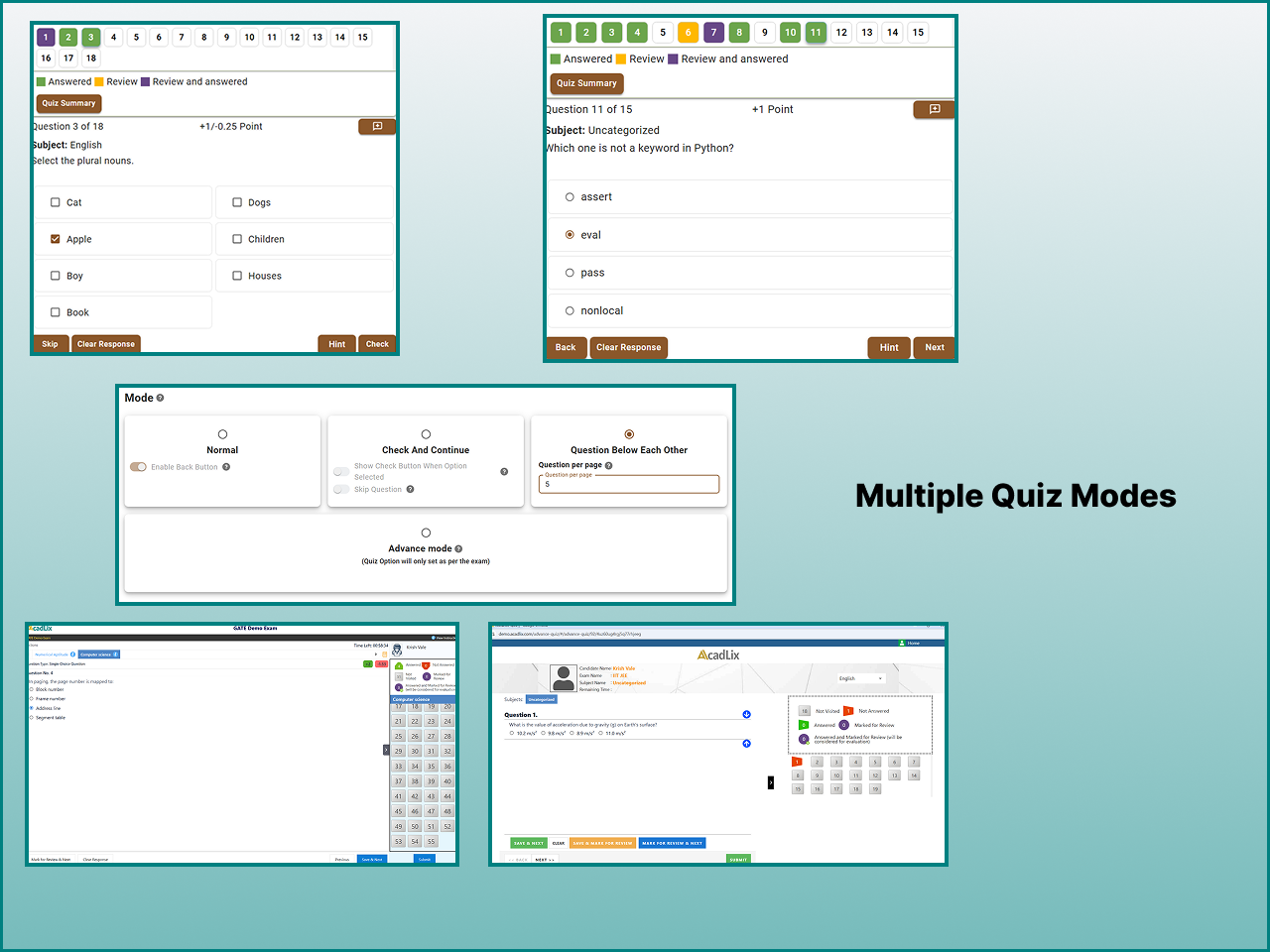
✓ Conduct timed online examinations
✓ Issue certificates
✓ Run live classes
✓ Manage students and enrollments
✓ Track learning progress
✓ Accept online payments
✓ Drip Content and Announcements
✓ Course Pre-requisite
Designed for Real eLearning Platforms
Acadlix LMS supports a wide range of educational use cases, including:
• Competitive examinations
• Mock test portals
• Professional certification
• Employee training
• Coaching institutes
• School assessments
• College learning portals
Instead of managing multiple disconnected plugins, you can create, deliver, and sell learning content from a single interface.
What You Can Build with Acadlix LMS on WordPress
Acadlix is designed for more than just online courses. Whether you’re teaching a single class or running a large learning platform, it provides the flexibility to support different teaching and business models.
Use Acadlix to build:
✓ Online Course Websites
✓ Competitive Exam Portals
✓ Mock Test Platforms
✓ Certification Programs
✓ Employee Training Systems
✓ School & College Learning Portals
✓ Coaching Institute Websites
✓ Paid Test Series
✓ Continuing Education Programs
✓ Skill Assessment Platforms
From structured learning paths to timed online examinations, Acadlix helps you deliver engaging learning experiences while managing students, payments, and progress from one dashboard.
AI Quiz Maker & AI-Powered Content Creation
Acadlix includes a built-in AI Quiz Maker for WordPress that helps educators generate quiz questions, validate existing questions, and create quiz descriptions. You can also create course and lesson content using AI.
Creating quality learning content takes time. Acadlix includes AI-assisted tools that help reduce repetitive work while keeping you in control of the final content.
Simply connect your own OpenAI API key to start using AI features. There are no platform-imposed credits or monthly usage limits—you only pay your OpenAI usage costs.
AI Features Included in the Free Version
✓ Generate quiz questions from a topic or prompt
✓ Validate existing questions for clarity and accuracy
✓ Create course descriptions
✓ Generate lesson descriptions
✓ Generate quiz descriptions
✓ Improve content writing speed
Acadlix AI Quiz Maker is designed to help educators create quizzes faster while maintaining control over the final content. You can generate questions from a topic or prompt, review AI-generated questions, and validate existing questions before publishing them. This makes Acadlix one of the flexible WordPress quiz plugin for educators and course creators.
Why Use Your Own OpenAI API Key?
• Full control over AI usage
• No monthly credits managed by Acadlix
• No recurring AI subscription charged by the plugin
• Pay only for your actual OpenAI API consumption
• Continue using your preferred OpenAI account
This approach gives educators complete transparency over AI costs while allowing unlimited usage within their own OpenAI account limits.
Create Courses Without Coding
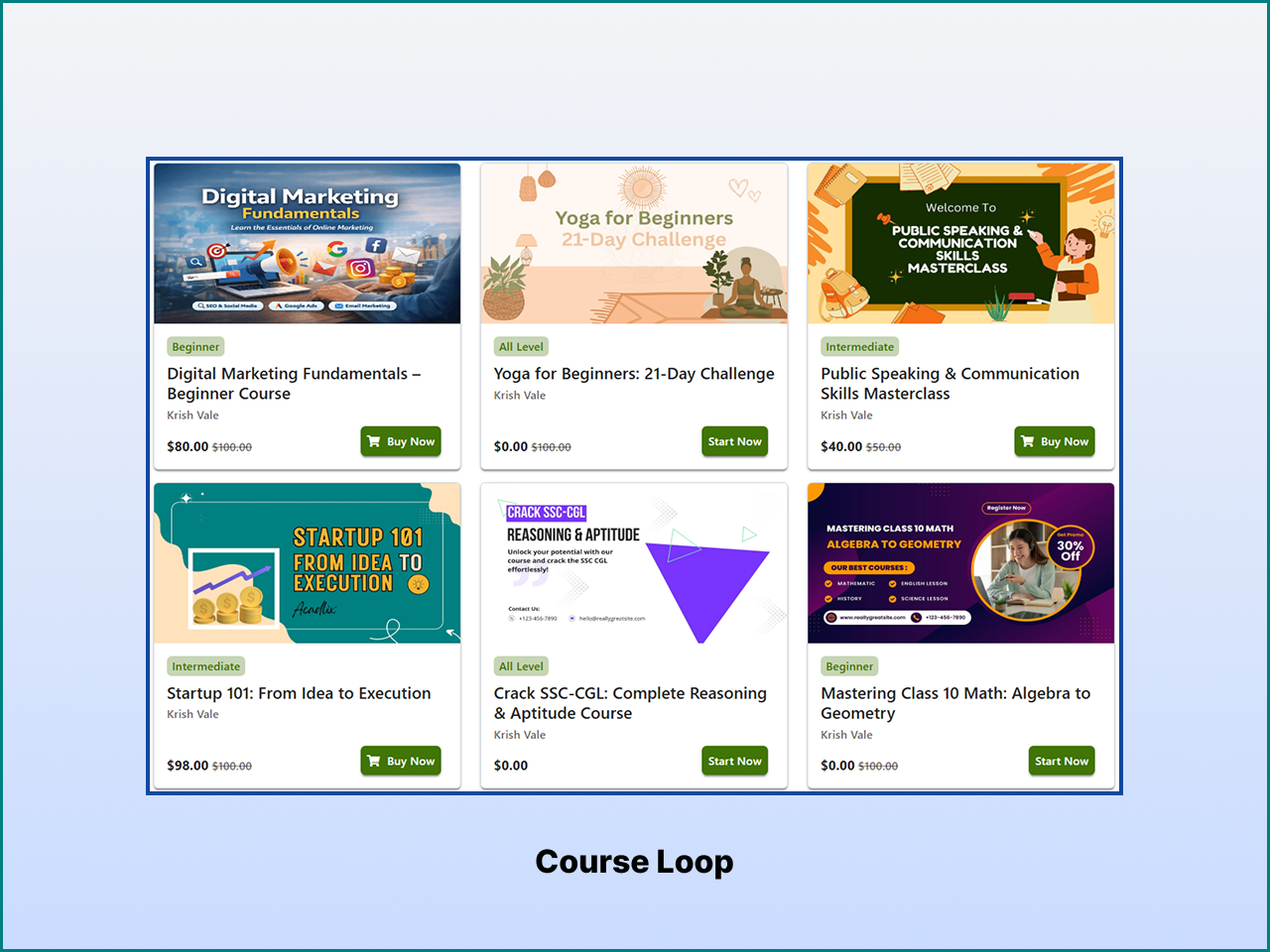
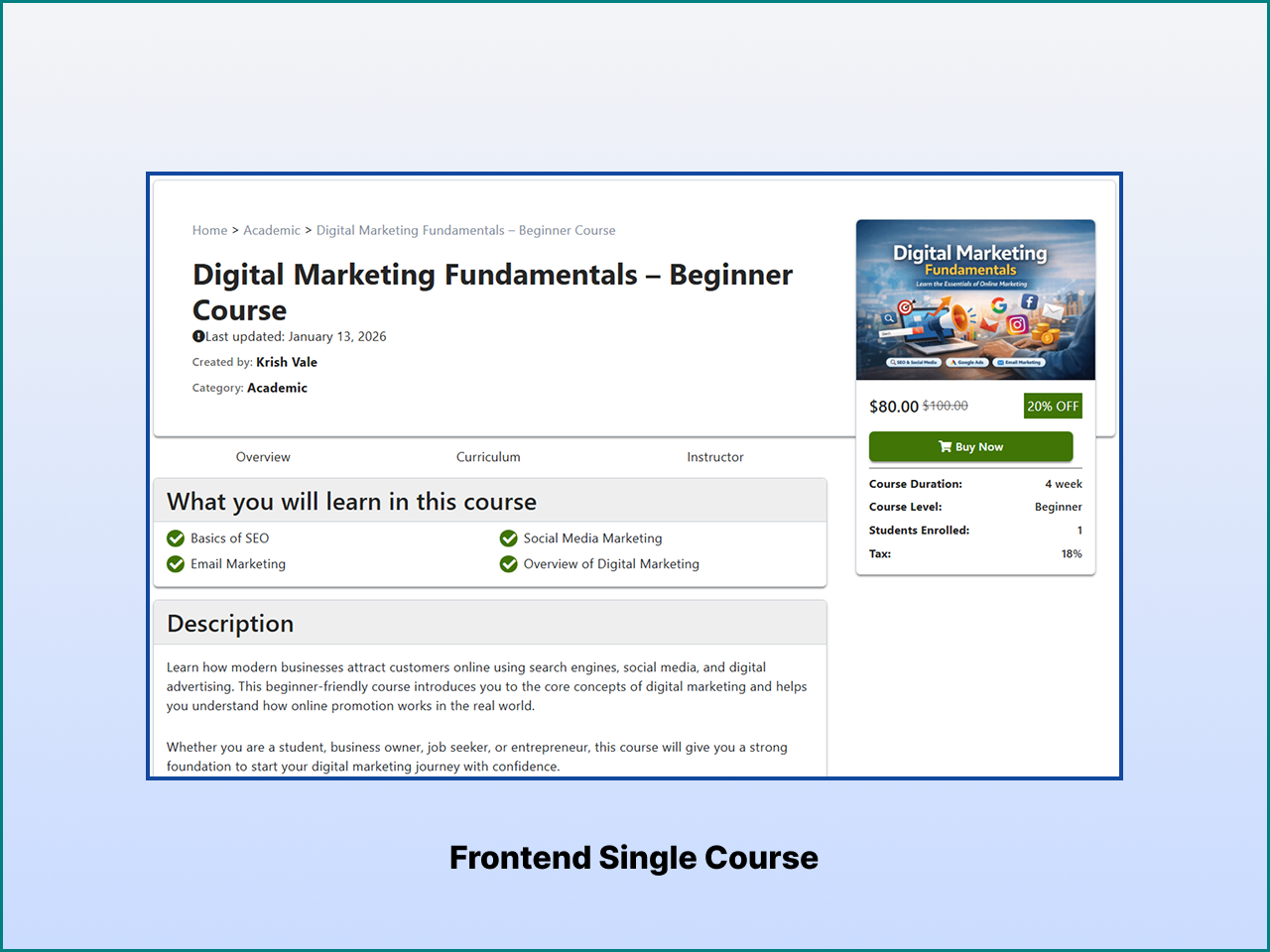
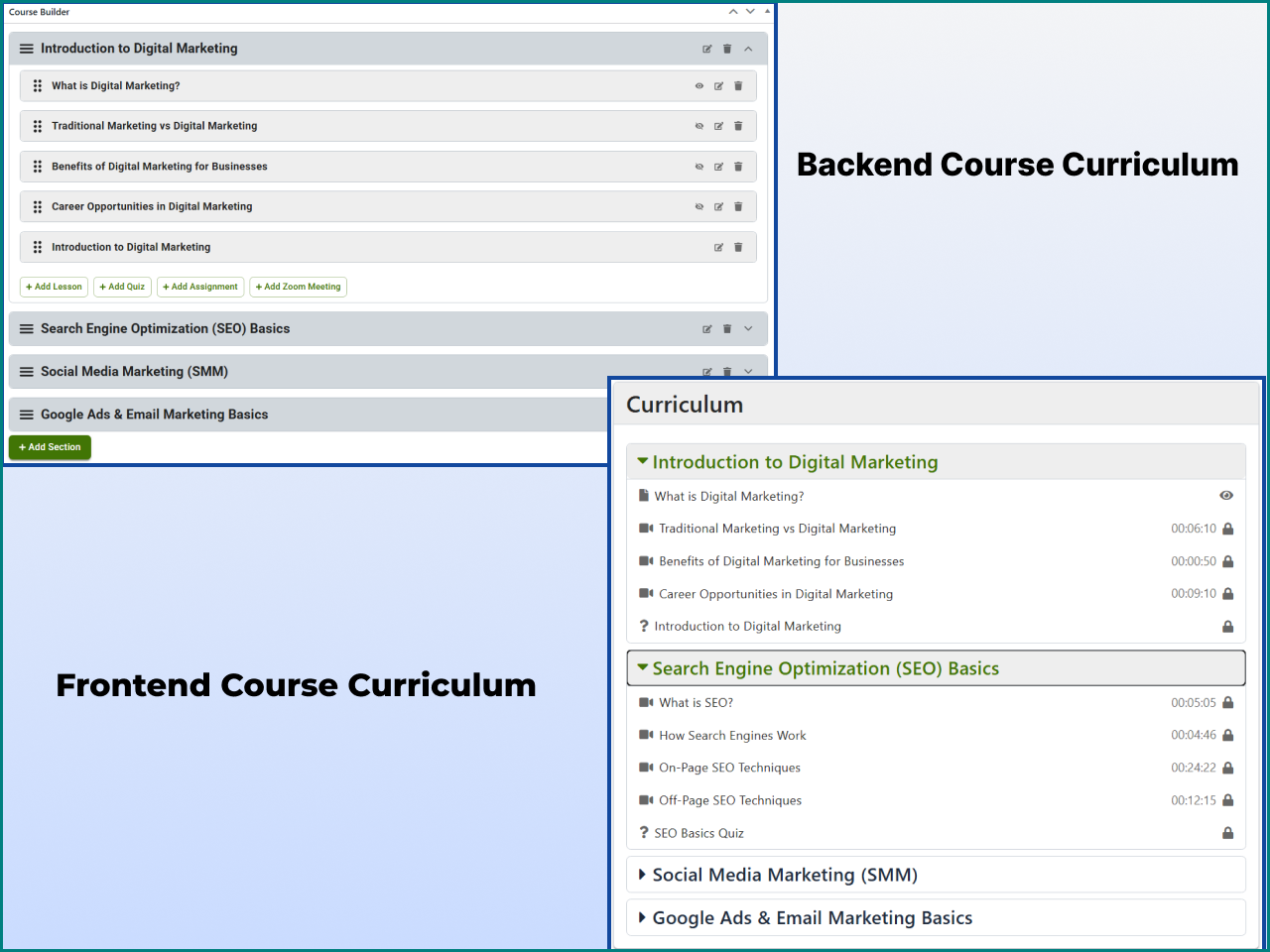
Acadlix includes a powerful WordPress course plugin that lets you create and organize online courses without writing code. Use the drag-and-drop course builder to structure your curriculum with sections, lessons, quizzes, assignments, downloadable resources, and multimedia content from a single interface.
Course Builder Features
✓ Unlimited courses
✓ Unlimited lessons
✓ Unlimited quizzes
✓ Unlimited assignments
✓ Drag-and-drop curriculum builder
✓ Multi-level course structure
✓ Lesson ordering
✓ Course duration
✓ Difficulty levels
✓ Learning outcomes
✓ Featured images
✓ Instructor assignment
✓ Rich text editor
✓ Course Announcements
✓ Logic-based Drip Content (Pro)
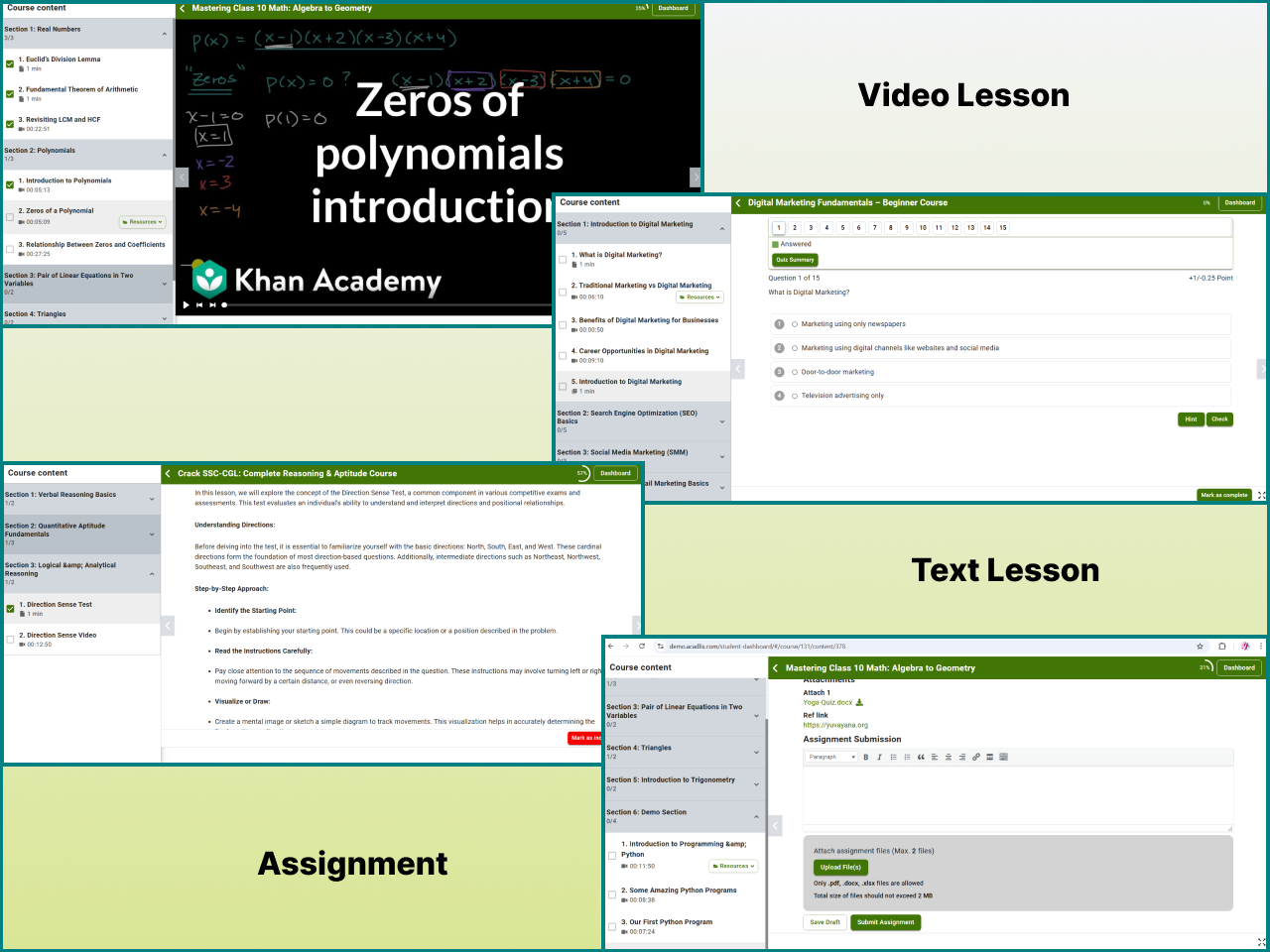
Rich Lesson Support
Create engaging lessons using multiple content formats:
• YouTube videos
• Vimeo videos
• Self-hosted videos
• Audio lessons
• PDFs
• Images
• Downloadable resources
• Text-based lessons
Students can follow an organized learning path through courses while administrators manage lessons, quizzes, resources, and course content from a single WordPress dashboard.
Create Professional Online Exams
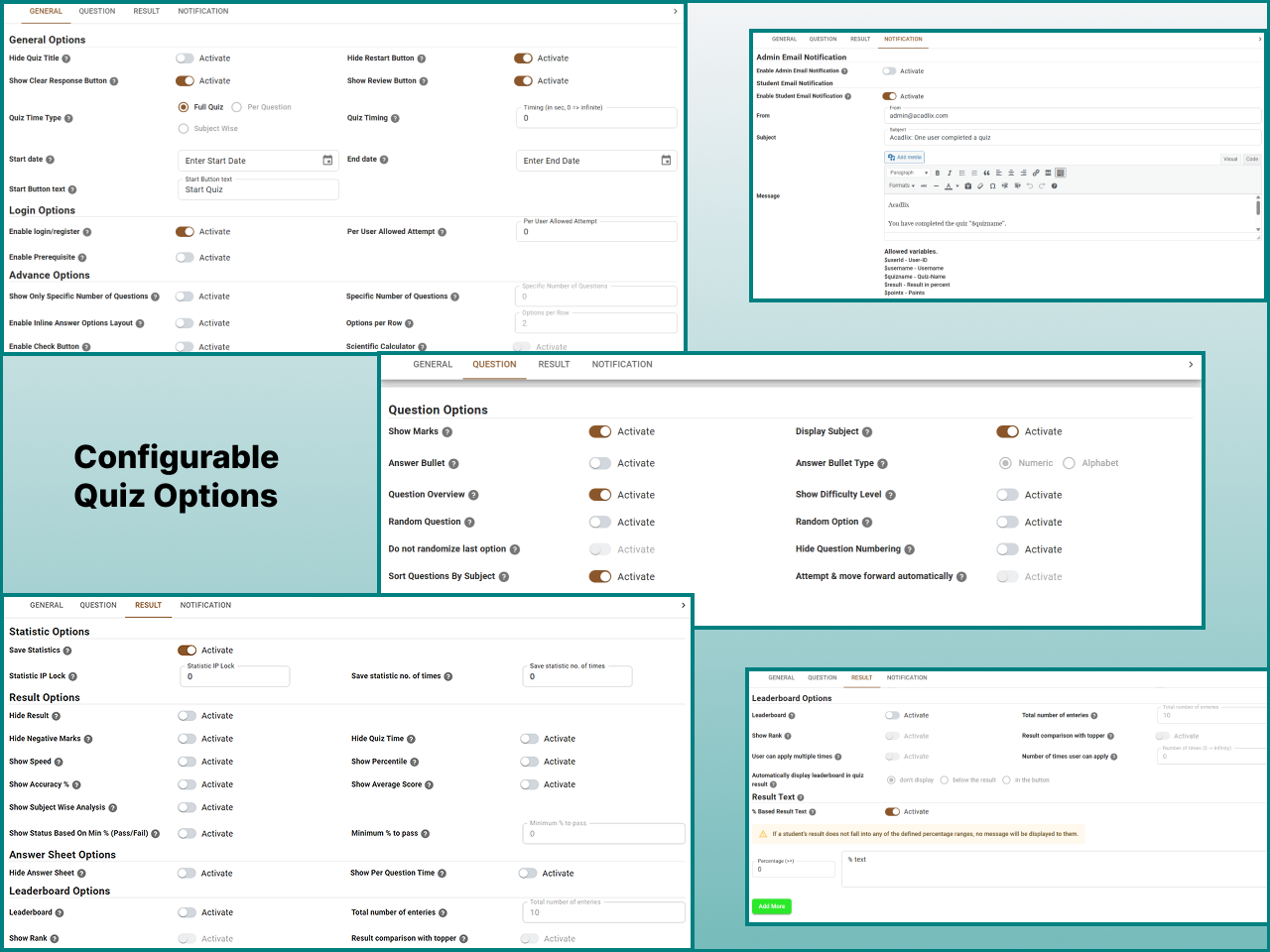
Acadlix LMS includes a powerful WordPress quiz plugin that lets you create timed online exams, quizzes, practice tests, mock tests, and assessments directly from your WordPress website. It is designed for competitive examinations, entrance tests, school and college assessments, certification programs, recruitment tests, and employee evaluations.
Whether you want to create a short online quiz, a practice test, or a full-length mock examination, Acadlix provides flexible assessment options to configure your exams according to your requirements.
Quiz & Examination Features
✓ Unlimited quizzes
✓ Timed quizzes and examinations
✓ Multiple attempts or attempt limits
✓ Automatic grading
✓ Negative marking
✓ Question randomization
✓ Answer randomization
✓ Question categories
✓ Difficulty levels
✓ Subject-wise organization
✓ Passing score
✓ Instant results
✓ Detailed result reports
✓ Answer explanations
✓ Leaderboards
Supported Question Types
Create assessments using multiple question formats.
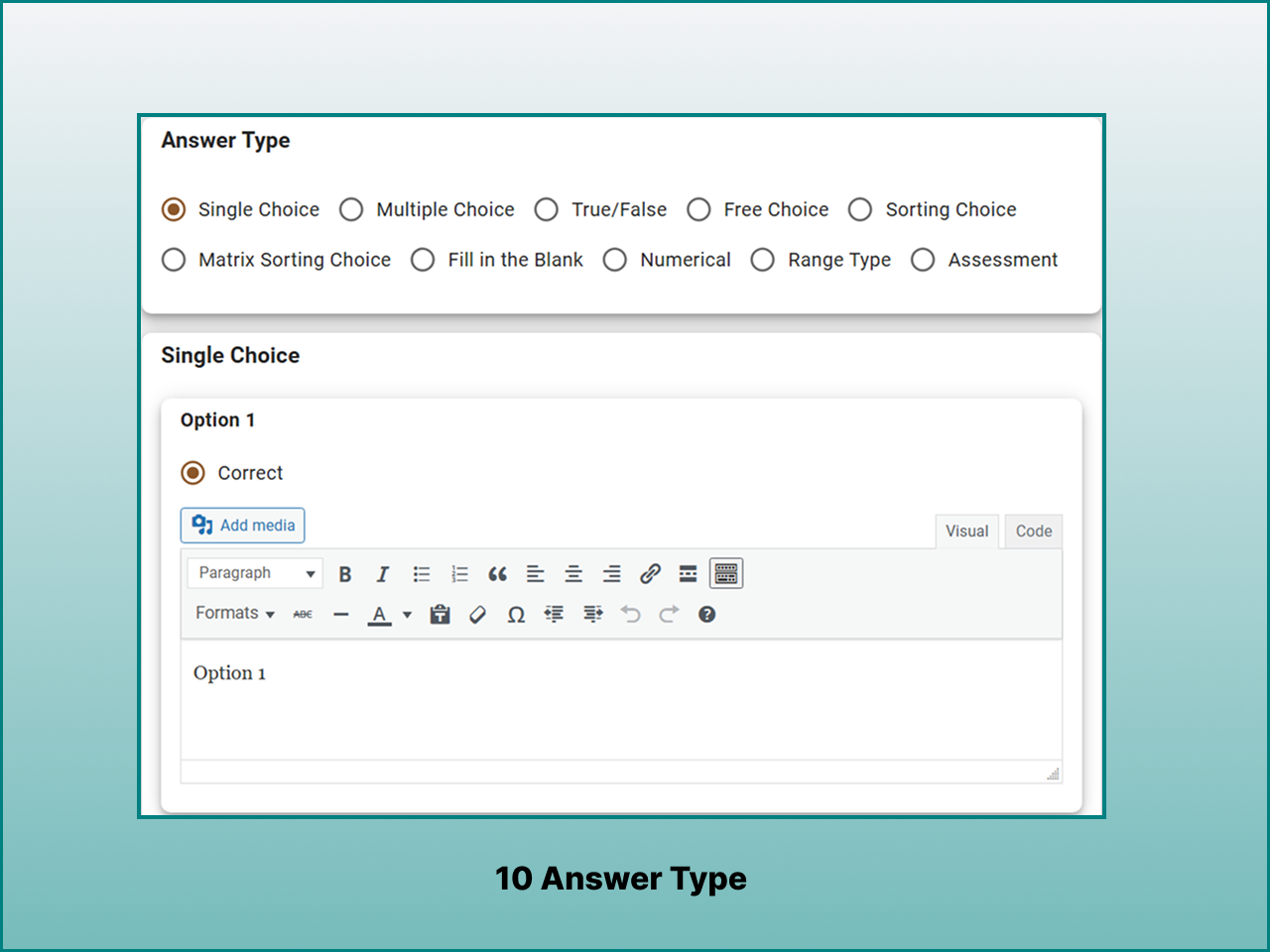
• Single Choice (MCQ)
• Multiple Choice
• True / False
• Fill in the Blank
• Sorting
• Matrix Matching
Additional advanced question types (numerical, numerical range, assessment, or essay) are available in Acadlix Pro.
Build Mock Tests and Assessments
Acadlix can be used to create different types of online tests and assessments, including:
• Competitive examinations
• Entrance tests
• Mock test series
• School assessments
• College examinations
• Professional certification
• Employee evaluations
• Practice quizzes
Whether you’re preparing students for competitive exams or delivering internal company assessments, Acadlix provides the flexibility to support different evaluation methods.
Sell Courses Without WooCommerce
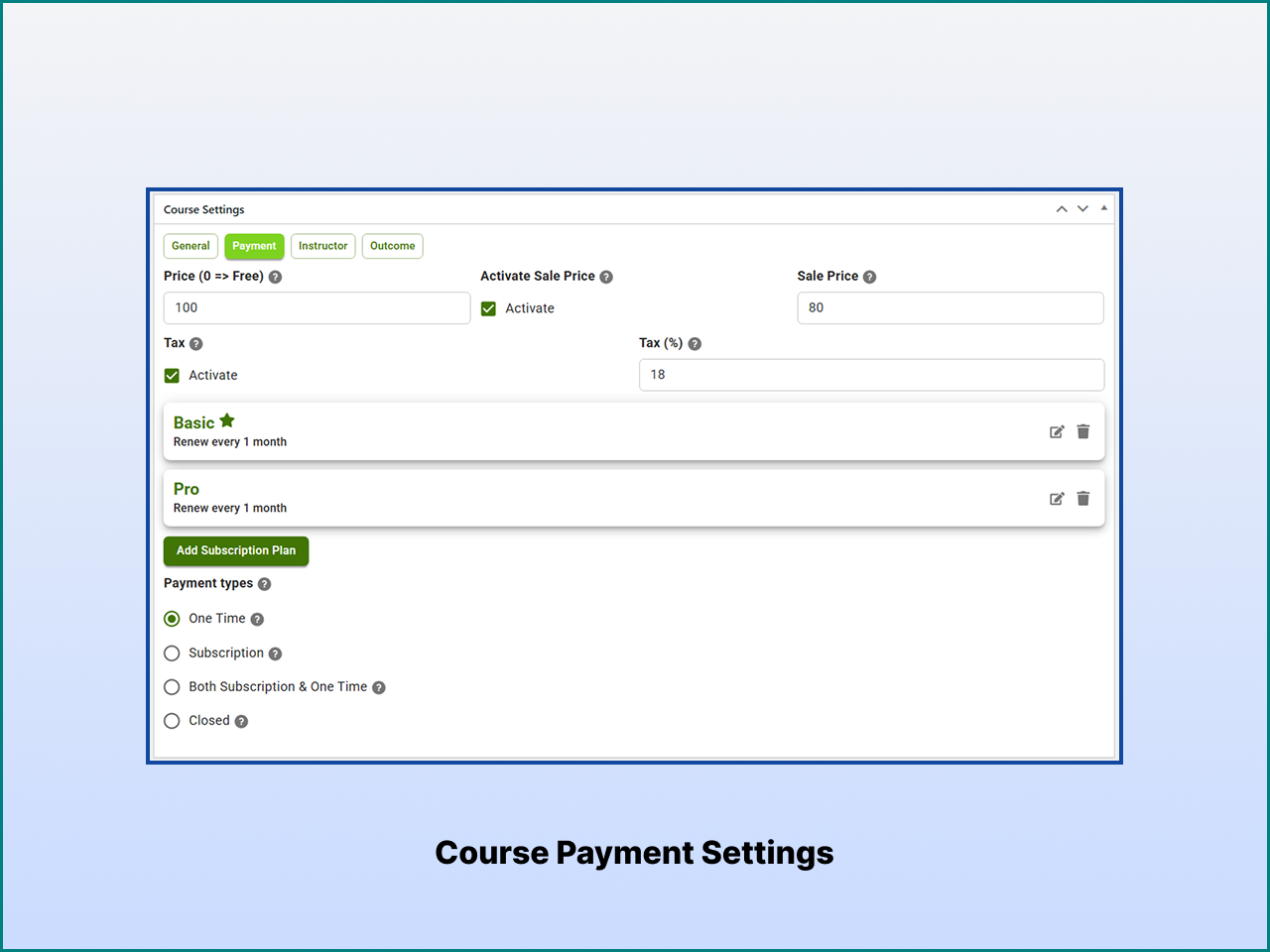
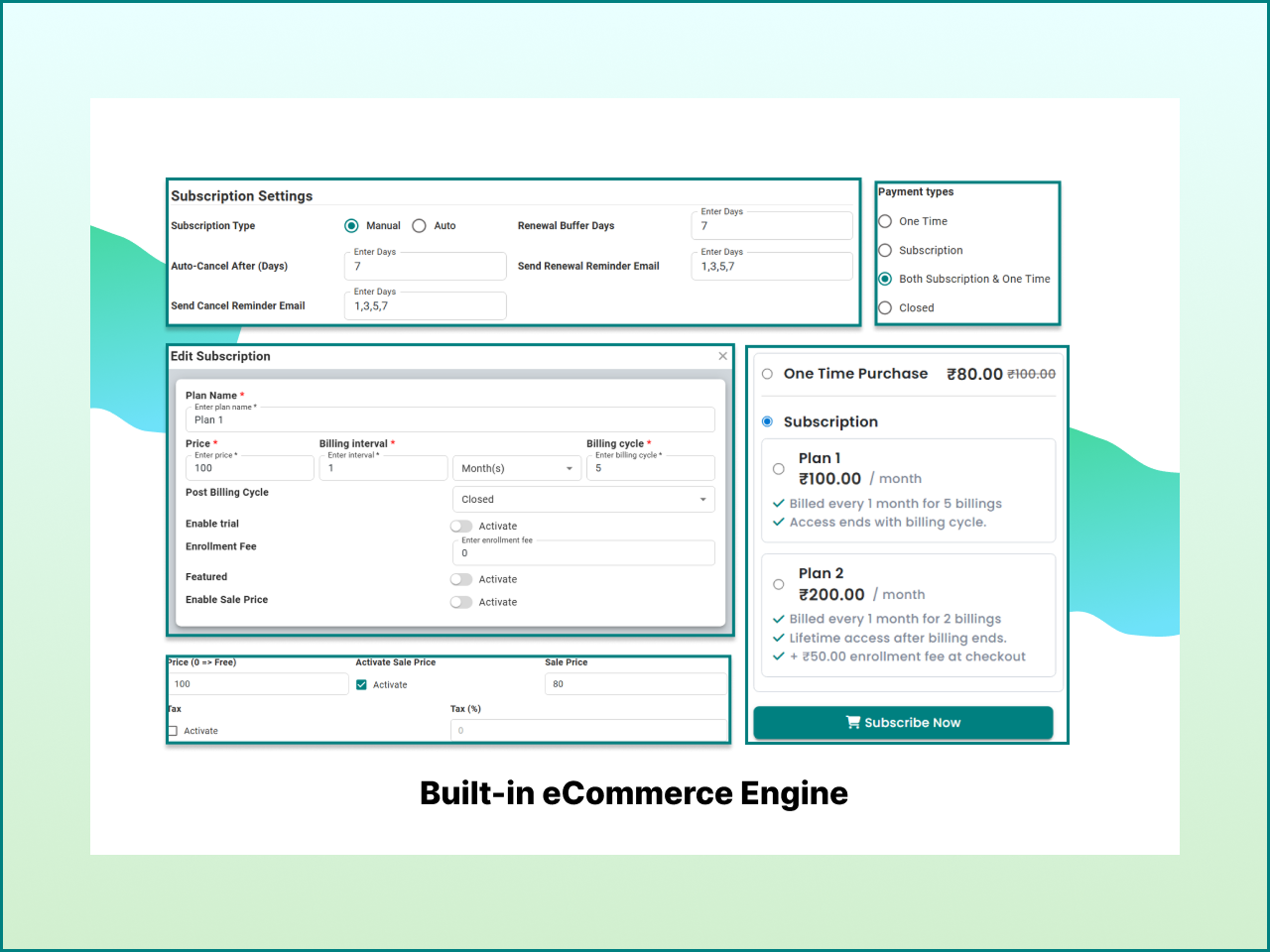
Acadlix LMS includes a built-in eCommerce and payment system that lets you sell online courses and test series directly from your WordPress website without installing WooCommerce or another separate eCommerce plugin. Manage course sales, student enrollments, payments, orders, and coupons within the same LMS.
This built-in course selling system reduces plugin dependencies and keeps your learning content, student management, checkout, and payments in one workflow.
Course Selling & Payment Features
✓ Native checkout
✓ One-time payments
✓ Course enrollments
✓ Multi-plan subscriptions (Pro)
✓ Course Bundle (Pro)
✓ Order management
✓ Coupons and discounts
✓ Enrollment management
Supported Payment Gateways
• Stripe
• PayPal
• Razorpay
• PayU
• Knit Pay
Offline payments are also supported, allowing administrators to accept bank transfers, QR code payments, or other manual payment methods.
Manage Course Orders and Enrollments
Track course purchases, student enrollments, payment history, and order details from a centralized WordPress dashboard. This makes it easier to manage both educational content and course sales without switching between multiple plugins.
Course Progress Tracking and Certificates
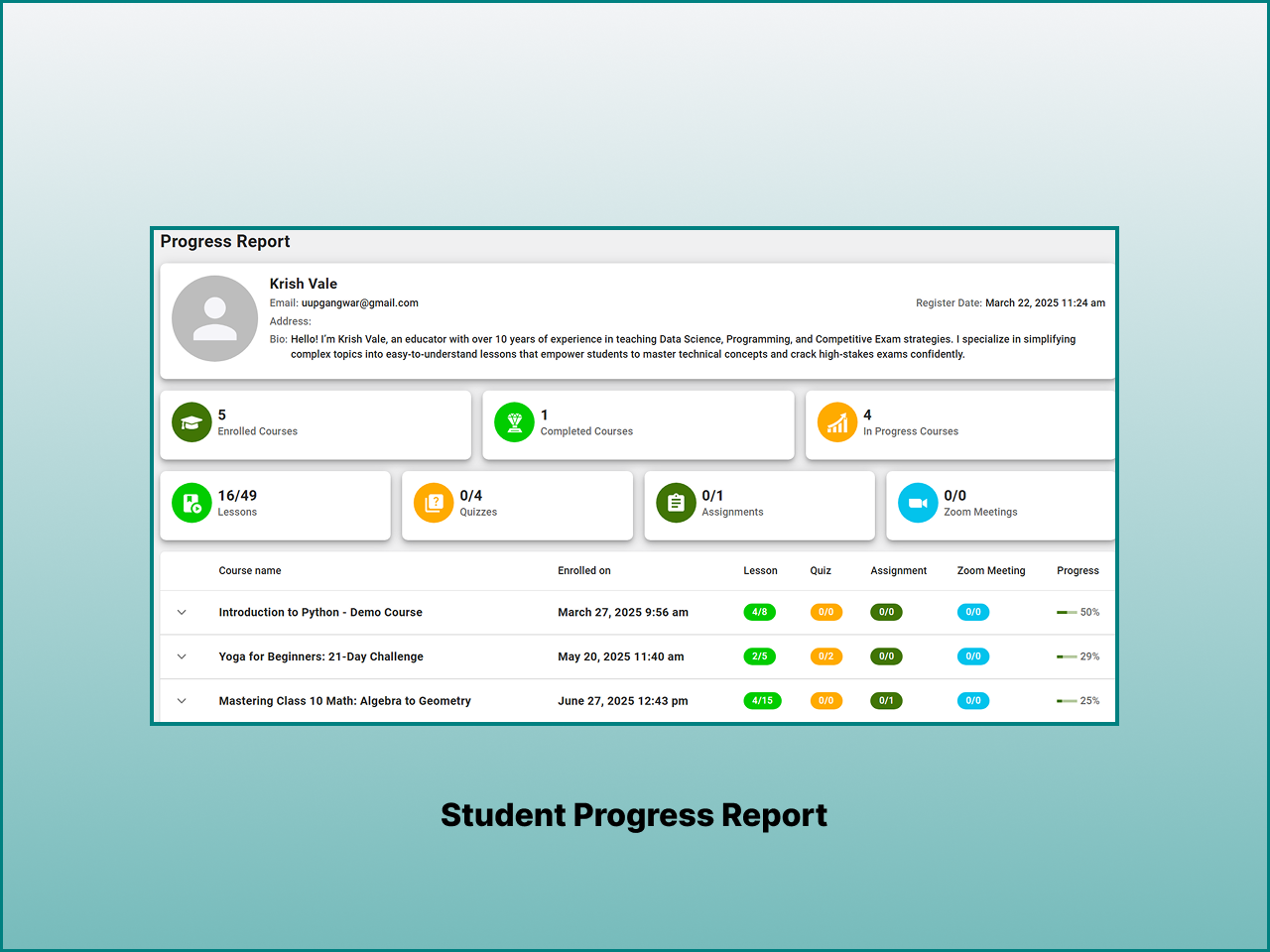
Acadlix LMS helps learners stay engaged by tracking their progress throughout an online course. Students can monitor completed lessons and quizzes, resume learning from where they stopped, and view their overall course progress from the student dashboard.
Administrators can organize structured learning paths and track student progress across courses, lessons, and quizzes, making it easier to manage online learning and course completion.
Learning & Student Progress Features
✓ Course completion tracking
✓ Lesson progress
✓ Quiz progress
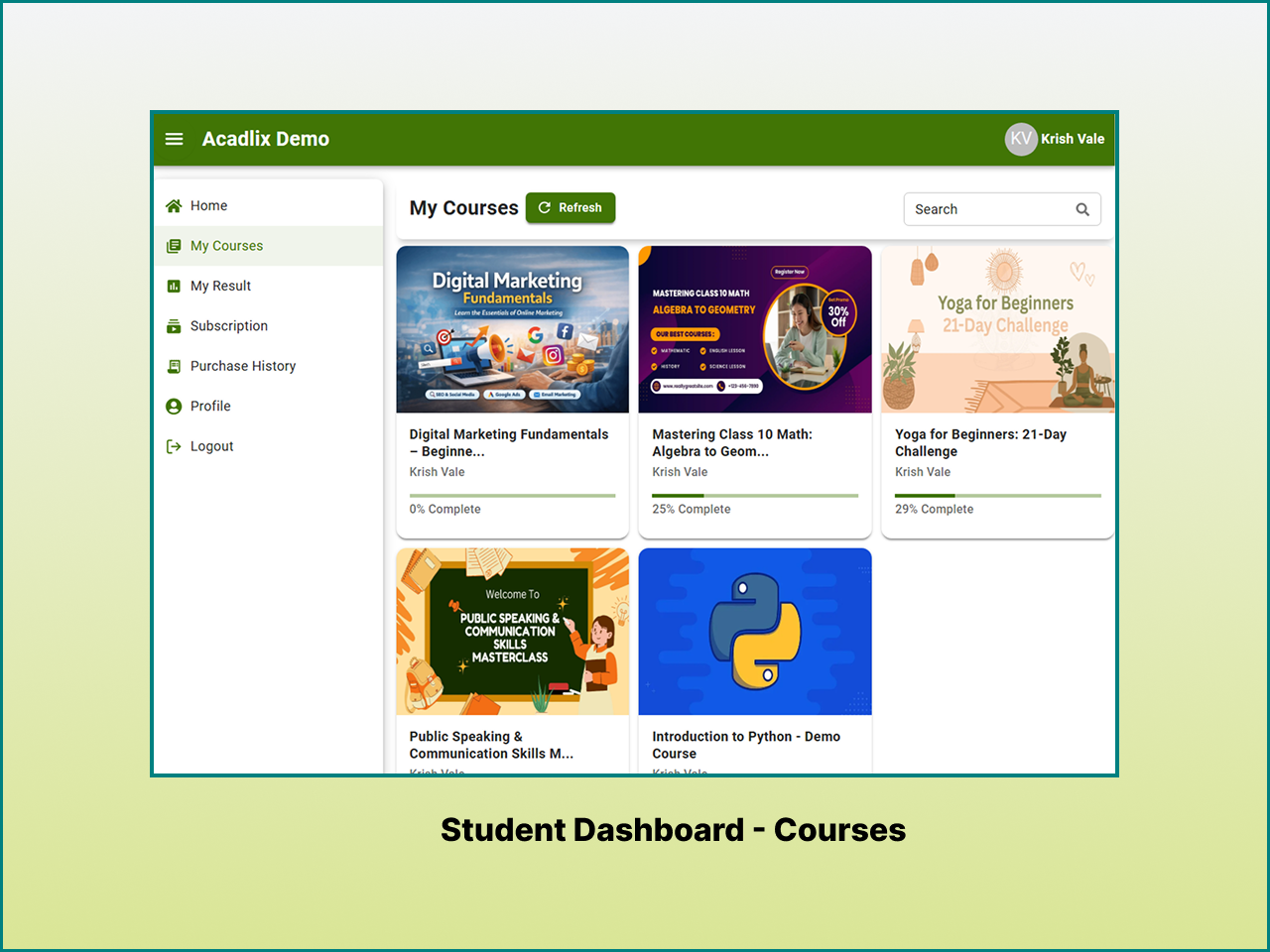
✓ Student dashboard
✓ Completion certificates
✓ Resume learning
✓ Learning history
Certificates can be issued when learners successfully complete the required course activities. This makes Acadlix suitable for online certification programs, training organizations, continuing education, and other learning platforms that need course completion certificates.
Mobile-Friendly Student Dashboard
Acadlix provides a mobile-first, single-page application-based student dashboard that gives learners a simple and focused way to access their online courses, quizzes, learning resources, results, and certificates. Students can manage their learning from a unified dashboard while administrators can efficiently manage courses, quizzes, enrollments, and student results.
Instead of requiring learners to navigate between multiple plugins or separate interfaces, Acadlix brings the core learning experience into one centralized LMS dashboard.
Student Features
✓ Personal learning dashboard
✓ Continue where you left off
✓ Course progress tracking
✓ Quiz history
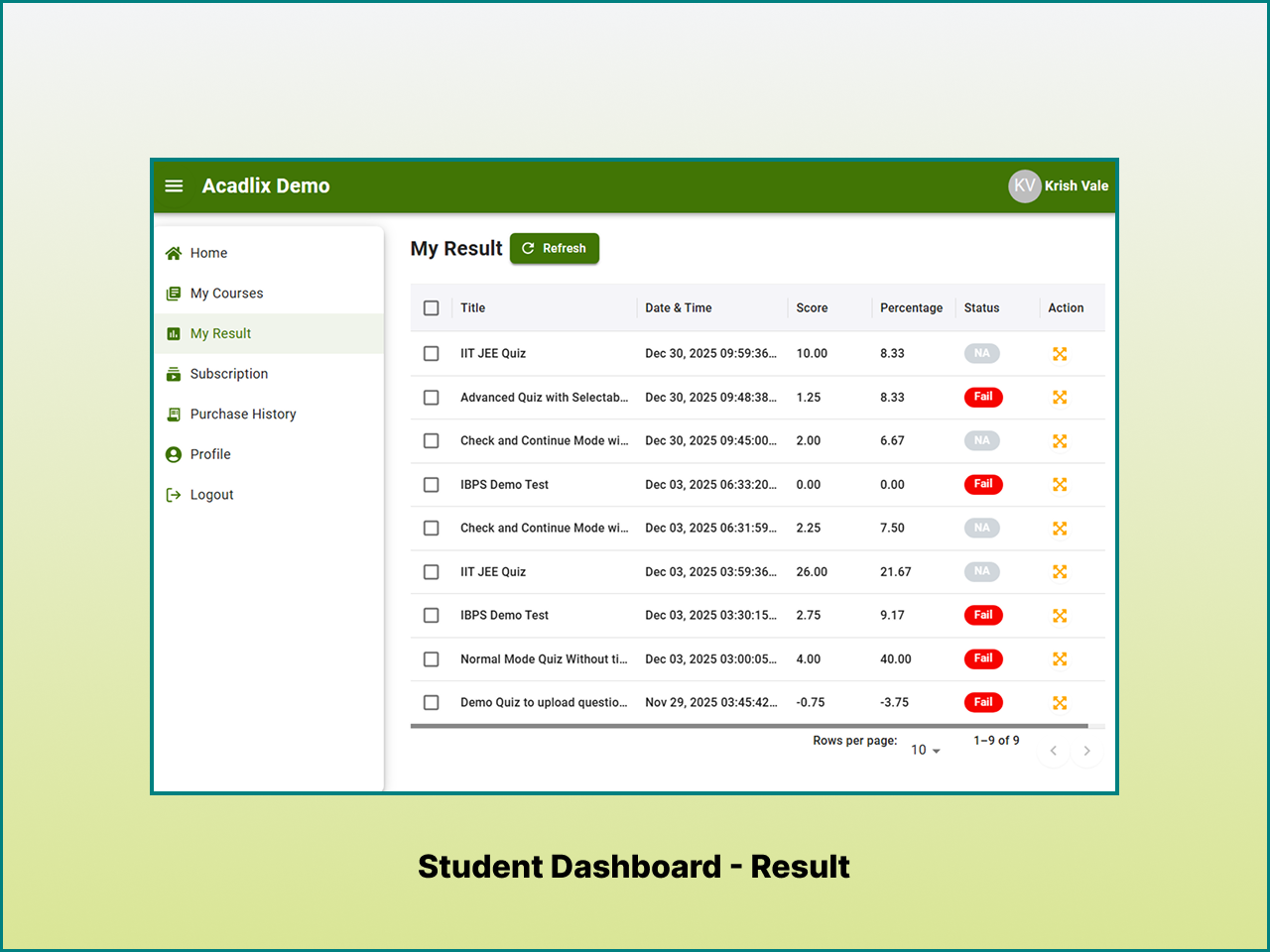
✓ Result reports
✓ Certificates
✓ Course enrollment history
✓ Downloadable learning resources
✓ Responsive design for desktop, tablet, and mobile
Students can easily access enrolled courses, continue unfinished lessons, review quiz attempts, view results, and monitor their learning progress from a single dashboard across desktop, tablet, and mobile devices.
Simplify Course Management
Managing an online learning platform involves more than publishing lessons. Acadlix provides tools that help administrators organize students, courses, and learning content from a central dashboard.
Administration Features
✓ Student management
✓ Instructor management
✓ Bulk student import
✓ Course management
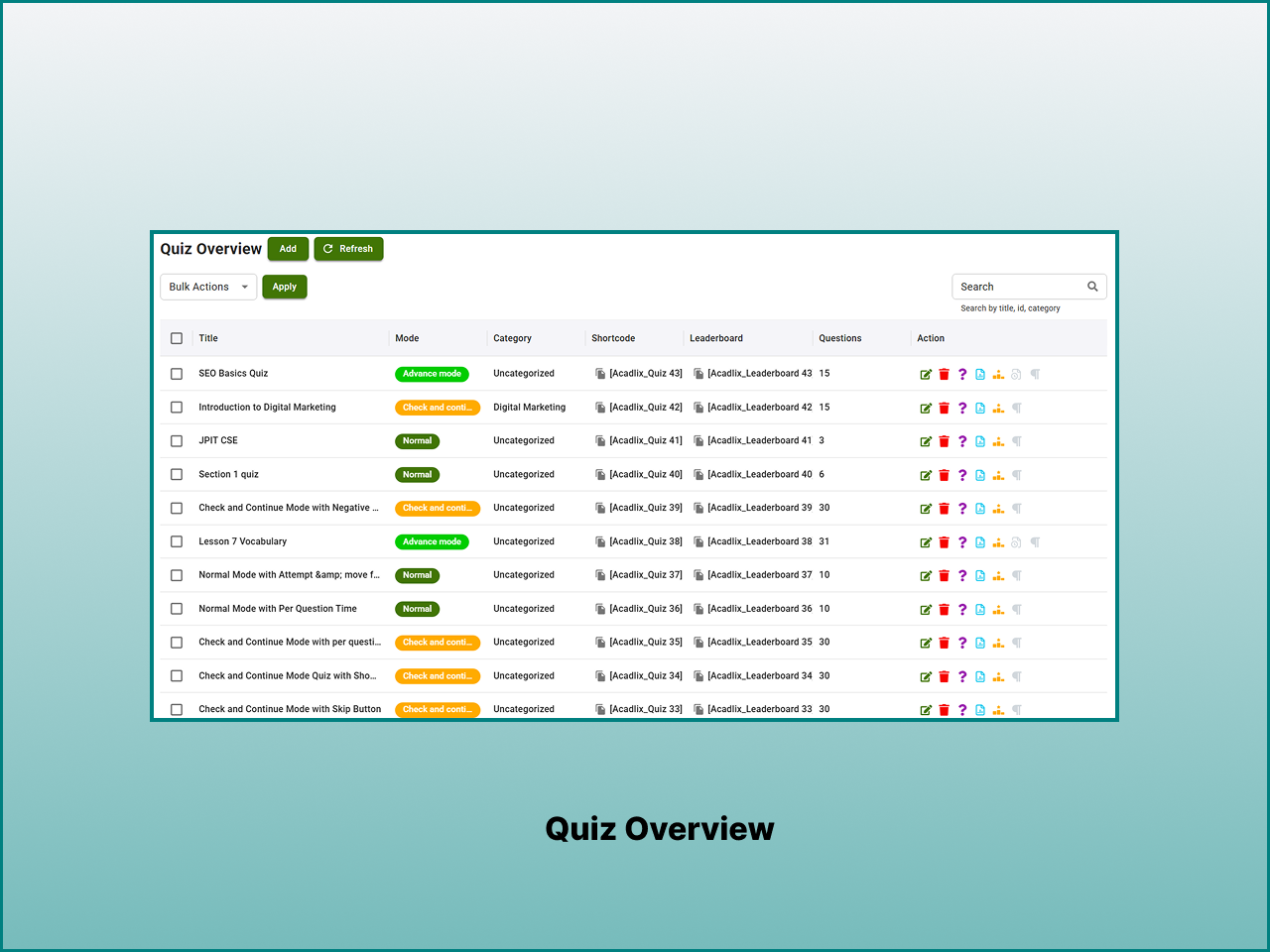
✓ Quiz management
✓ Order management
✓ Coupon management
✓ Certificate management
✓ Import and export tools
✓ Shortcodes
✓ Custom login and registration pages
Whether you’re managing a few students or a growing learning platform, Acadlix helps reduce repetitive administrative work.
Live Classes with Zoom, Google Meet and Microsoft Teams (Pro)
Acadlix Pro allows you to combine self-paced online courses with scheduled live classes to create a complete online teaching and blended learning experience. Schedule live classes from your learning platform and allow enrolled students to access their sessions directly from their course dashboard.
Live Class Integrations
Acadlix Pro supports live classes through:
• Zoom
• Google Meet
• Microsoft Teams Pro
Live classes can be combined with recorded video lessons, quizzes, assignments, and downloadable resources to create structured blended learning programs.
This makes Acadlix suitable for coaching institutes, online academies, employee training programs, and instructor-led certification courses.
Built for Modern WordPress eLearning Websites
Acadlix is designed to integrate with modern WordPress websites while remaining easy to customize.
Compatibility
✓ WordPress 6.8+
✓ PHP 8.2+
✓ Elementor
✓ Responsive layouts
✓ Custom shortcodes
✓ Multiple payment gateways
✓ Google reCAPTCHA v3
✓ SEO-friendly URLs
✓ Course-friendly permalink structure
✓ RTL ready
Whether you’re using a classic WordPress theme or a page builder such as Elementor, Acadlix can be integrated into your existing website and customized to fit your site’s learning experience.
Integrated WordPress LMS for Easier Management
Acadlix LMS brings course management, quizzes, online exams, payments, student management, and learning features together in a single WordPress plugin. This integrated approach can reduce the need to combine multiple plugins for core LMS functionality and helps keep your learning platform easier to manage.
Fewer plugin dependencies often mean:
• Simpler administration
• Easier maintenance
• More consistent user experience
• Centralized course management
Website performance depends on factors such as your hosting environment, WordPress configuration, installed plugins, and traffic volume. For larger eLearning websites, using quality hosting together with page caching and object caching can help support performance as your platform grows.
Free vs Pro
The free version includes everything needed to launch an online learning platform.
Included in Acadlix LMS Free
✓ Unlimited courses
✓ Unlimited lessons
✓ Unlimited quizzes
✓ AI question generation
✓ AI question validation
✓ AI-generated descriptions
✓ Built-in payments
✓ Certificates
✓ Student dashboard
✓ Elementor integration
✓ Coupons
✓ Course reviews
✓ Course Announcements
✓ Multiple payment gateways
✓ Manual Order creation
✓ Responsive layouts
✓ Import and export tools
When your platform grows, Acadlix LMS Pro adds advanced tools for larger organizations, competitive examinations, and subscription-based learning.
Acadlix LMS Pro Includes
✓ Advanced question types
✓ AI performance feedback
✓ Subscription billing
✓ Live class management
✓ Unlimited Assignments
✓ Drip Content
✓ Course prerequisites
✓ Detailed analytics
✓ Competitive exam layouts (IBPS, JEE Mains, JEE Advanced, GATE, UGC NET and NTA)
✓ MS Word question importer
✓ Quiz prerequisites
✓ OTP & MFA login
✓ Advanced migration tools
✓ Priority support
Acadlix Pro is designed for organizations that need advanced assessment features, recurring revenue, enterprise administration, and larger-scale learning management.
External Services
Acadlix integrates with third-party services only when certain features are enabled by the site administrator or end users.
Stripe
This plugin integrates with the Stripe payment gateway to securely process online payments.
Stripe is used to handle course purchases, subscriptions, and payment confirmations.
When a user initiates a payment, the following data may be sent to Stripe:
- Payment amount
- Currency
- Billing details provided by the user
- Transaction metadata required for payment processing
Data is transmitted only during payment processing or webhook-based payment status updates.
Stripe is a third-party service provided by Stripe, Inc.
Stripe Terms of Service
Stripe Privacy Policy
PayPal
This plugin integrates with PayPal to allow users to complete payments using their PayPal accounts or supported payment methods.
When a payment is initiated, the following data may be sent to PayPal:
- Payment amount
- Currency
- Transaction and order details
- User-provided billing information
PayPal is a third-party service provided by PayPal Holdings, Inc.
PayPal User Agreement
PayPal Privacy Policy
PayU
This plugin supports PayU as a payment gateway for processing online payments.
When PayU is used, the plugin may send:
- Payment amount
- Currency
- Order and transaction details
- Billing information entered by the user
PayU is a third-party payment service provider.
PayU Terms of Service
PayU Privacy Policy
Razorpay
This plugin …
Screenshots
Blocks
This plugin provides 3 blocks.
- Login Shortcode
- Quiz Leaderboard Shortcode
- Quiz Shortcode
Installation
Installing Acadlix LMS takes only a few minutes.
Install from WordPress
- Go to Plugins Add New in your WordPress dashboard.
- Search for Acadlix LMS.
- Click Install Now.
- Activate the plugin.
- Open Acadlix from the WordPress admin menu.
- Create your first course, quiz, or online exam.
Install Manually
- Download the plugin ZIP file.
- Upload it through Plugins Add New Upload Plugin.
- Activate the plugin.
- Start building your learning platform from the Acadlix menu.
Optional Setup
To unlock AI-assisted content generation:
• Create an OpenAI API key.
• Add your API key in Acadlix Settings.
• Start generating quiz questions and descriptions.
You can begin creating courses and quizzes immediately without configuring payment gateways or AI features.
Acadlix is built by a team with over 13 years of experience in EdTech and WordPress, focused on solving real challenges faced by educators, institutes, and course creators.
FAQ
-
What is Acadlix LMS?
-
Acadlix LMS is a WordPress LMS, quiz, and online exam plugin for creating and selling online courses, quizzes, mock tests, assessments, and eLearning websites.
-
Who is Acadlix designed for?
-
Acadlix is suitable for educators, coaching institutes, schools, colleges, corporate trainers, certification providers, and anyone who wants to build an online learning platform with courses, quizzes, and examinations.
-
Is Acadlix a free WordPress LMS plugin?
-
Yes. Acadlix core is available as Free that includes unlimited courses, lessons, quizzes, students, AI question generation, AI question validation, payments, certificates, and other essential LMS features.
-
Can I create unlimited courses?
-
Yes. The free version allows you to create unlimited courses, lessons, quizzes, and students.
-
Does Acadlix support AI-generated questions?
-
Yes. Connect your own OpenAI API key to generate quiz questions, validate existing questions, and create course or lesson descriptions. AI usage is billed directly by OpenAI based on your API consumption.
-
Can I conduct timed online examinations?
-
Yes. You can create timed quizzes and examinations with automatic grading, negative marking, question randomization, passing scores, and detailed result reports.
-
Does Acadlix support competitive examinations?
-
Yes. Acadlix can be used to build mock tests, entrance examinations, certification assessments, and competitive exam platforms. Additional examination features are available in Acadlix Pro.
-
Can I sell courses without WooCommerce?
-
Yes. Acadlix includes a built-in payment system for selling courses and test series without requiring WooCommerce.
-
Which payment gateways are supported?
-
Acadlix currently supports:
• Stripe
• PayPal
• Razorpay
• PayU
Offline payments are also supported.
-
Can I issue certificates?
-
Yes. Certificates are available after learners complete course requirements. Additional certificate customization options are available in the Pro version.
-
Does Acadlix support live classes?
-
Yes. Acadlix Pro supports live classes through Zoom, Google Meet, and Microsoft Teams.
-
Is Acadlix mobile friendly?
-
Yes. Acadlix is designed with a mobile-first approach. So it works seamlessly across different screen sizes and devices like Desktop, tablet, and Mobile.
-
Does Acadlix work with Elementor?
-
Yes. Acadlix includes Elementor widgets that help you build custom course pages without coding.
-
Can I migrate from another LMS or Quiz Plugin?
-
Yes. Acadlix includes a migration tool to help move content from WP Pro Quiz, WP-ADV-Quiz, and LearnPress LMS.
-
Will Acadlix work with my WordPress theme?
-
Acadlix follows WordPress development standards and is designed to work with most modern themes. If you encounter compatibility issues, our support team can help.
-
Do I need coding knowledge to run my eLearning Website on WordPress?
-
No. Courses, quizzes, exams, payments, and student management can all be managed from the WordPress dashboard without writing code.
-
Where can I find documentation?
-
Complete documentation, tutorials, and setup guides are available on the Acadlix website.
-
Where can I request new features?
-
Feature requests and feedback are always welcome. They help us improve Acadlix for educators and organizations around the world.
Reviews


Contributors & Developers
“Acadlix LMS – AI Quiz Maker, Online Exam & Course Plugin for WordPress” is open source software. The following people have contributed to this plugin.
Contributors
“Acadlix LMS – AI Quiz Maker, Online Exam & Course Plugin for WordPress” has been translated into 2 locales. Thank you to the translators for their contributions.
Interested in development?
Browse the code, check out the SVN repository, or subscribe to the development log by RSS.
Changelog
1.1.4 – 19-08-2026
- Added: Deactivation feedback popup to collect admin feedback during plugin deactivation.
- Added: Setup wizard to streamline initial plugin configuration.
- Added: Save and Continue Edit button for faster content editing workflows.
- Added: Course announcement functionality.
- Added: Lesson Category.
- Added: Lesson template.
- Added: Gutenberg support for lesson content.
- Added: Dark mode support for student dashboard.
- Added: Add access to super admin to acadlix.
- Added: Resources, requirements, target audience, faqs, fake students, and featured course in course settings.
- Added: Inbuild password reset functionality for users.
- Added: Dashboard page in student dashboard to show course overview, progress, and quiz results.
- Updated: Enrollment management flow for smoother enrollment updates.
- Updated: View answersheet interaction with swipe control support in mobile.
- Updated: Leaderboard design.
- Updated: Student dashboard design.
1.1.3 – 14-07-2026
- Fixed: Issue with activation.
1.1.2 – 13-07-2026
- Added: Deactivation feedback popup to collect admin feedback during plugin deactivation.
- Added: Setup wizard to streamline initial plugin configuration.
- Added: Save and Continue Edit button for faster content editing workflows.
- Added: Course announcement functionality.
- Updated: Enrollment management flow for smoother enrollment updates.
- Updated: View answersheet interaction with swipe control support in mobile.
1.1.1 – 02-07-2026
- Added: Reattempt text option support in quizzes.
- Updated: Course start date and time saving behavior.
- Updated: AI content generation to prevent creating H1/H2 tags.
- Updated: Quiz result comparison CSS for improved UI consistency.
- Fixed: AI content generator issue causing inconsistent list output.
- Fixed: Course content iframe CSS issue.
- Fixed: Lesson video player poster display issue.
- Fixed: AI question generation issue.
1.1.0 – 17-06-2026
- Added: Lesson render shortcode support.
- Added: Sort Question question type.
- Added: Quiz shortcode and leaderboard block support.
- Added: Login shortcode block support.
- Fixed: Quiz template attempt handling issue causing incorrect attempt behavior.
- Fixed: Video player double-tap gesture support for play/pause and 10-second forward/backward seeking.
1.0.9 – 04-06-2026
- Added: Free checkout support without requiring any payment gateway configuration.
- Added: Change password from student dashboard.
- Added: Resume video playback for lessons.
- Added: Login functionality for non-logged-in users at view answersheet or start quiz.
- Added: Sticky save button in settings and admin pages for improved usability.
- Added: Redirect option specifically for login shortcode.
- Added: Template override support for quiz shortcode with configurable fields.
- Added: Skeleton loader for student dashboard for better user experience during data fetch.
- Added: Course analytics in admin to view course performance and student engagement.
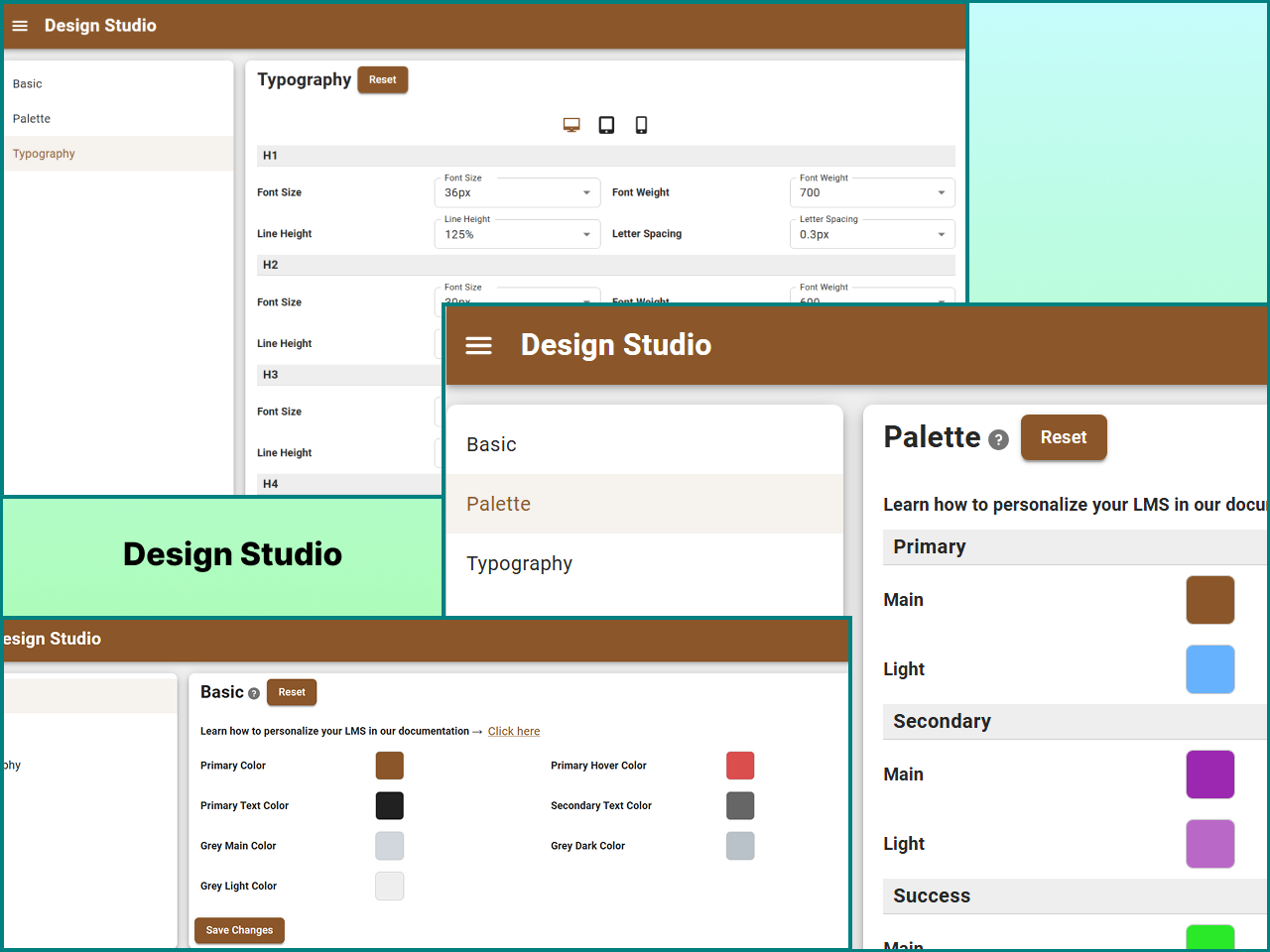
- Added: Design studio palette for better design control.
- Updated: Student certificate name formatting now displays first letter in uppercase automatically.
- Updated: Passing percentage restriction now disables the answer sheet access button when set score is not met.
- Updated: Course price validation at checkout before leaving to payment gateway.
- Updated: User avatar background in student dashboard top bar.
- Updated: Scroll to viewport when view answer sheet button is clicked for better user experience.
- Fixed: Quiz answer sheet reopening issue when quiz is submitted using finish quiz button.
- Fixed: Video player button CSS styling inconsistencies.
- Fixed: Single choice & true false question manual save issue caused by multiple clicks.
- Fixed: Reduced the volume slider for mobile view in video player.
1.0.8 – 18-05-2026
- Added: Knit Pay payment gateway integration.
- Added: Quiz template delete functionality.
- Added: Course content icons in course backend for improved visual identification.
- Added: Category selection option in My Courses dashboard.
- Added: Column-per-row layout configuration for course listing.
- Added: Configure registration fields directly from backend settings.
- Added: Custom Acadlix logo variant for student dashboard.
- Added: Automatic cache clearing after plugin update.
- Fixed: Leaderboard default button display issue in quiz interface.
- Fixed: Multiple category assignment issue in courses.
- Fixed: Coupon revalidation issue when course is removed from checkout.
- Fixed: Quiz import issue with language.
- Fixed: Frontend button and icon button CSS inconsistencies.
1.0.7 – 20-04-2026
- Added: AI-powered question validation to ensure content accuracy and quality.
- Added: AI-powered question generation to assist educators in creating diverse and engaging quizzes.
- Added: AI-powered description generation for courses, lessons, and quizzes to save time and enhance content appeal.
- Added: Logout button on the header right-side for quick user access.
- Added: Category filter in quiz search within course curriculum backend.
- Added: Category filter on the admin quiz management page.
- Added: Category filter on frontend quiz result page for improved navigation.
- Added: Optional Finish Quiz button placement after the Next button across all quiz modes.
- Added: Remove youtube branding option for youtube videos in lessons.
- Added: Remove embedded option for video lessons.
- Improved: Quiz delete action icon repositioned at the end for clearer interface flow.
- Improved: Left sidebar user header redesigned with enhanced background and real-time app-like mobile view displaying username, email.
- Fixed: Course registration date display issue.
- Fixed: Quiz import/export functionality issues.
1.0.6 – 20-03-2026
- Added: Certificate module for course completion.
- Added: Option to disable course enrollment visibility on the frontend.
- Added: Default phone code setting for user registration.
- Fixed: Trashed courses appearing in the “My Courses” section.
1.0.5 – 13-03-2026
- Added: Coupon system to allow discounts on course purchases.
- Added: Import and export quiz functionality using JSON format for easy quiz migration and backup.
- Added: Category filter on the frontend for improved course browsing and discovery.
- Added: File upload option in Assessment question type to allow students to submit files as answers.
- Added: Content protection setting to disable right-click, copy, and text selection on course content, quizzes, and answer sheets.
- Added: Auto-start quiz option for all quiz modes except Advanced Quiz.
- Added: Option to disable the Hint feature in quizzes.
- Added: Ability to assign multiple courses to multiple users at once.
- Added: CSV import feature for bulk user creation.
- Added: Option to hide the WordPress admin toolbar for non-admin users from plugin settings.
- Improved: Updated question action icon in quiz interface for better clarity.
- Improved: Dashboard login page UI with centered layout for better user experience.
1.0.4 – 19-02-2026
- Added – Rating and review system for courses.
- Added: Question difficulty level support for better question categorization.
- Improved: Enhanced UX for dynamic fields; new fields (Course Outcome, Question Options, Lesson Resources) now receive auto-focus upon addition.
- Improved: Real-time leaderboard updates; the leaderboard now refreshes automatically upon quiz completion if placed on the same page.
- Improved: Streamlined Quiz Category and Question Subject creation with “Enter” key support for faster additions.
- Improved: Refined UI/UX for Quiz Category and Question Subject settings for better management.
- Fixed: Corrected UI layout issues in the Subject-wise results view.
- Fixed: Removed unnecessary button underlines on the Thank You pages.
1.0.3
- Update: Update assets and readme for better performance and user experience.
1.0.2
- Improvement: Enhanced compatibility with WP Local development environments.
1.0.1
- Bug Fix: Resolved issues.
1.0.0
- Initial public release