
Description
ShopMagic Abandoned Carts is a free add-on for ShopMagic (which is also free). To recover abandoned carts, you will need both ShopMagic and the ShopMagic Abandoned Carts add-on.
The plugin will help you rescue abandoned carts and lower the abandonment cart rate in WooCommerce store! Use the abandoned cart email templates for WooCommerce with email marketing campaigns, newsletters, and cart recovery automation for free!
Let ShopMagic recover all your abandoned carts in WordPress and see how your revenue will rise.
★★★★★
DEAL WITH WOOCOMMERCE ABANDONED CARTS ONCE AND FOR ALL
Different research studies prove that even 80% of carts in online stores are abandoned by customers.
In other words, 80% means that for every 5 carts created in your store, 4 are currently abandoned and can be recovered!
ShopMagic for Abandoned Carts will help you do it.
Let’s deal with them with the ShopMagic Abandoned Carts add-on!
MEET SHOPMAGIC – ABANDONED CARTS KILLER!
No matter why customers abandon carts, no matter what products or services you are selling, no matter what business you are in.
With ShopMagic Abandoned Carts, you will be able to track and recover every single abandoned cart.
SOME CART RECOVERY FEATURES SUPPORTED OUT-OF-THE-BOX
- Abandoned cart statistics – Check which order is recovered, which is recoverable and what’s your revenue earned by our plugin 📡
- Cart timeout – Set a time when carts are considered abandoned ⏱️
- Track carts for registered customers AND guests – Optionally enable guest tracking for abandoned carts 🔎
- Pre-submit data capture – Optionally enable pre-submit data capture to instantly save customer’s email as soon as they enter it in WooCommerce checkout ✍️
- Exit intent pop-up – Optionally enable pop-up to collect user email, if one wants to exit your store without adding a product to the cart 🎉
- Segment customer and carts – Filter carts by product, product categories in the cart, item count, total, or even created date 📊
- Personalize messages – Use placeholders (i.e., customer.first_name or cart.items) to send unique and personalized emails to customers to get higher conversions 🧑
- All other free features available in ShopMagic – Take advantage of all other features included with ShopMagic 🧠
- Lower the abandonment cart rate in WooCommerce with core plugin features and add-ons ✨
- Possible the best & free WooCommerce abandoned cart recovery and email marketing automation plugin with lots of ShopMagic options to boost your sales 📈
- Create email templates with abandoned cart plugin free reports for WooCommerce 📩
- Use with ShopMagic add-ons to rescue abandoned carts for bookings, and subscriptions (with WooCommerce Bookings and WooCommerce Subscriptions PRO add-ons) ⭐
- Send the entries of WooCommerce abandoned carts, email lists, and customer data to Google Sheets for free 📝
SHOPMAGIC ABANDONED CART WILL INCREASE YOUR CONVERSION RATE RIGHT AWAY!
How’s that possible? Because our plugin starts tracking abandoned carts right after activation. More importantly, creating automation to recover carts is simple and should take 5 to 10 minutes.
What’s even better, ShopMagic Abandoned Carts tracks not only carts of registered but also guest users! We designed it this way to be sure, that you will be able to recover every cart.
We’re super caution about data tracking, so if you’d like, you can disable data tracking in the plugin’s settings.
As a cherry on top, you can enable the option to automatically clear all carts after 30 days. This setting will ensure that you’ll have actual data, and may be especially useful for some bigger WooCommerce stores which have many abandoned carts.
SHOPMAGIC ABANDONED CARTS IS AVAILABLE FOR FREE
That’s right. We believe that everyone should have the possibility to benefit from modern marketing strategies and solutions. Especially in the current world situation. That’s why we are giving this ShopMagic add-on for free, to every WooCommerce store owner.
We hope that you’ll find it useful, and ShopMagic Abandoned Carts will raise the Conversion Rate (CR) in your e-commerce.
What’s more, you can use ShopMagic – A Free Follow-Up Emails & Marketing Automation for WooCommerce with Abandoned Carts with other ShopMagic add-ons and free plugins for WooCommerce.
HOW DOES IT WORK?
ShopMagic Abandoned Carts add-on captures e-mails of users who visited the checkout page. After a specified amount of time and if the purchase wasn’t completed, it sends an automated email with information that something was left in the user’s cart.
We give you the solution, but what’s even better – you can customize it to your needs. For example, you can use all the tools available in the ShopMagic core plugin, like the HTML editor, to create beautiful emails and increase recovery chances even more.
WHAT DOES IT MEAN THAT IT’S AN ADD-ON?
It means that Recover Abandoned Carts for WooCommerce by ShopMagic requires ShopMagic plugin to work.
Before you start to worry – we simplified the installation process as much as possible.
If you download the Abandoned Carts add-on, you will see an additional dialog, which will inform you that the core plugin is required. Download and activate it like any other plugin.
But hey, there’s even easier way. Once you use ShopMagic core plugin, simply move to the plugin settings. There’s a dedicated tab, called Modules. You can install our add-on created to recover abandoned carts right from there.
ShopMagic is a powerful follow-up email and marketing automation plugin which will enhance your store in many ways. You can read more about ShopMagic in the WordPress repository, or take a look at the features listed below:
- WooCommerce follow-up emails – Automatic emails sent to customers who bought specific products, are asking for a review, or suggesting other products.
- WooCommerce custom transactional emails – Create and send customized emails for every order status. Pending payment and cancelled statuses included!
- Customized follow-up emails for different products – Possibility to create different emails (content and design) for different products. Raw HTML supported!
- Emails to employees – Notify your employees about store events or email yourself with important information about orders.
- Integration with Mailchimp – You can add customers to Mailchimp lists upon checkout.
- Integration with Google Sheets – Send WooCommerce order data directly to a specified spreadsheet.
- Customer lists – Create and manage multiple lists, for example, create separate lists for newsletters, special offers, or product announcements.
- Queue and outcomes – The queue helps to prioritize all emails while outcomes is a place, where you can check email history.
IS THERE A RECOVER ABANDONED CARTS PRO VERSION?
No. ShopMagic Abandoned Carts is an add-on that was designed for free, and it will be free once and for all. All the features are included in this add-on.
No additional login, credit card, or external account is needed. We are fans of the old-fashioned WordPress way. Simply download and activate our plugin, and you will be good to go and ready to recover abandoned carts in WordPress.
However, there’s a non-direct way of extending ShopMagic’s abandoned cart features. If you are using ShopMagic PRO have some add-ons like Delayed Actions or Customer Coupons, you can use them and their features for advanced abandoned cart email sequences.
See all the features of ShopMagic PRO for WooCommerce. Recover abandoned carts, send emails, newsletters, reminders, and build your email marketing automation in WooCommerce!
DEMO & DOCUMENTATION
Try the plugin (free & PRO) in your free demo and check out the documentation.
Screenshots

Abandoned Carts settings in ShopMagic for WooCommerce. 
Abandoned Cart reports for WooCommerce. 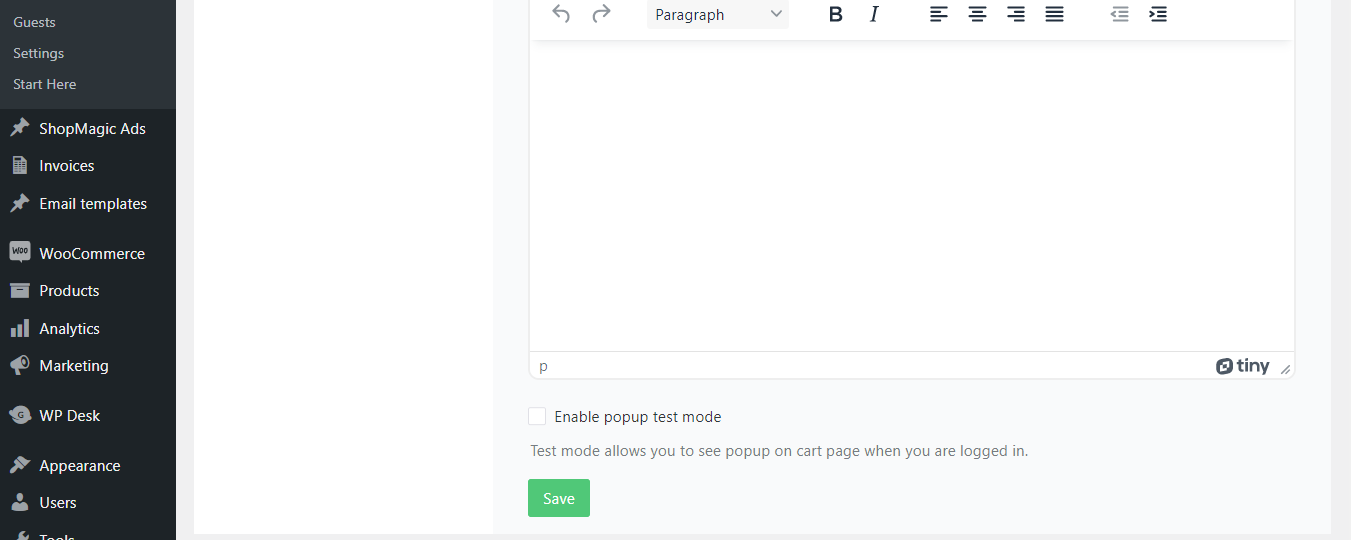
Enable popup messages for abandoned carts - WooCommerce plugin. 
Create abandoned cart email templates to rescue carts in WooCommerce. 
Create abandonment cart email templates for specific languages. 
Run email marketing automation and sms notifications to recover abandoned carts in WooCommerce. 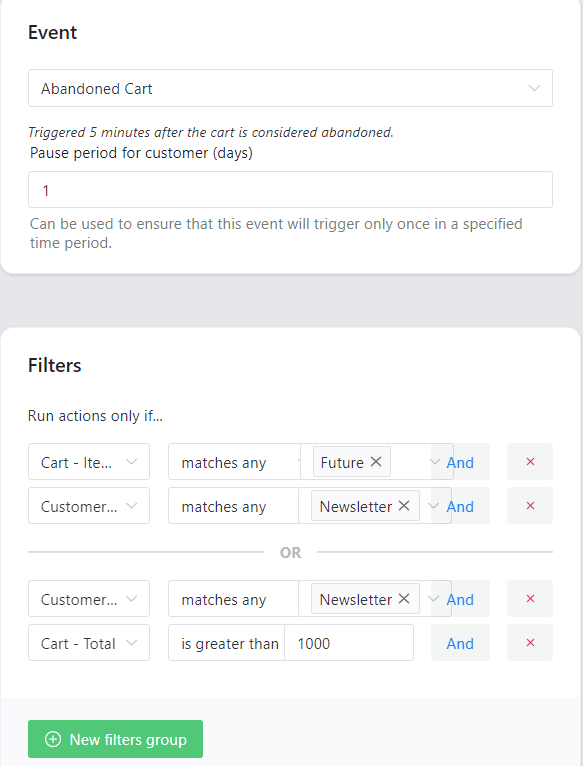
Use custom filters to send emails and lower the abandonment cart rate in WooCommerce. 
Use custom email templates for the abandoned cart of your newsletter subscribers. 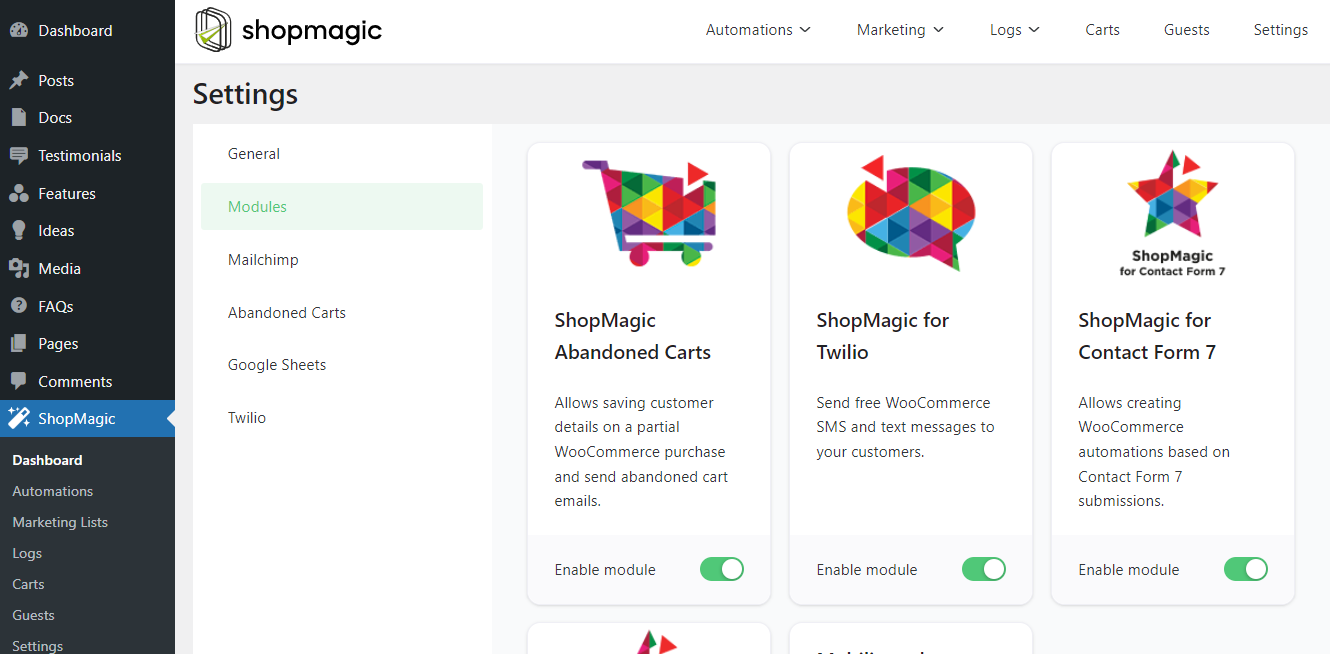
Free add-ons for ShopMagic - a free email marketing plugin for WooCommerce.
Installation
- Install either via the WordPress.org plugin directory or by uploading the files to your server.
- Activate the plugin through the “Plugins” menu in WordPress.
- Go to ShopMagic → Automations in your WordPress admin area and add automation with the Abandoned Carts event.
- Use settings to set your abandoned cart email templates in WooCommerce.
- Analyse the recovery rate with abandoned cart reports for WooCommerce.
FAQ
-
How can this plugin improve my WooCommerce store?
-
It can significantly boost your revenue. Every ecommerce store has abandoned carts. Chances are that your store is no different. Thanks to our plugin, you can create an automation which will catch all abandoned carts and email users to turn them into customers.
-
What does abandon cart mean?
-
Abandoned cart is a cart which has some products or services within, but the user who put them into the cart, become inactive.
-
Do I require anything else to use this plugin?
-
Yes. This plugin is an add-on that requires the free ShopMagic plugin.
-
I’m new to WooCommerce. Will I be able to configure ShopMagic?
-
Of course! It only takes a few minutes to configure a follow-up email in our plugin. If you encounter any problems, we have a team of dedicated specialists ready to help you.
Not to mention that ShopMagic has built in templates, which are ready-to-use automations.
-
Do you provide support?
-
We’d love to hear from you! You can ask a question on WordPress forums or send us a direct support message. We leave no questions unanswered!
-
Will Recover Abandoned Carts for WooCommerce by ShopMagic slow down my site?
-
No. Just like WooCommerce, our plugin stores everything locally in the WordPress database. All emails and actions are queued and sent or performed in batches, so even if you have a big store with lots of customers and orders, it will run smoothly.
-
Are coding skills needed to use your plugin?
-
Not at all! No coding skills are required. One of our goals is to simplify the creation of every automation. Usually, it only takes a few minutes to create a working automation.
-
Are there any limitations in the number of abandoned carts which I can recover in free plugin?
-
No, there are no limitations. You are welcome to create as many automations as possible and recover all carts.
-
Where can I find the plugin docs?
-
ShopMagic Abandoned Cart documentation is located here: ShopMagic Carts Docs
-
Do you have more free plugins for WooCommerce?
-
Of course! Actually, we have plenty of them. Take a look at our free WooCommerce plugins →
You can also choose one from the list below based on your needs.
- Flexible Invoices – free PDF invoices for WordPress and WooCommerce.
- Custom Price – let customers name the WooCommerce product price. You can use this plugin to receive donations or sell products with customer-set prices.
- Flexible Checkout Fields – add custom fields to the WooCommerce checkout page. Customize checkout fields for flexible, faster, and user-friendly shopping.
- Flexible PDF Coupons – sell WooCommerce PDF gift cards, vouchers, and tickets for free with unlimited gift card templates.
- Flexible Product Fields – add custom fields for products and customize the WooCommerce product page faster!
- Dropshipping XML – Import Products – import products from any CSV or XML file into WooCommerce. Update products easier, bulk upload products, and use when you want to sell WooCommerce products in dropshipping.
- Flexible Quantity – add new units of measure and sell your WooCommerce products with flexible custom unit calculations.
- Flexible Refund – let customers send refund requests in WooCommerce and manage all refunds faster.
- Flexible Wishlist –save products for later and enable a wishlist feature in your WooCommerce store.= Do I need anything else to use this plugin? =
Yes. This plugin is an add-on that requires the free ShopMagic plugin.
-
I’m new to WooCommerce. Will I be able to configure ShopMagic?
-
Of course! It only takes a few minutes to configure a follow-up email in our plugin. If you have any problems, we have a team of dedicated specialists ready to help you.
Reviews


Contributors & Developers
“Recover Abandoned Carts for WooCommerce by ShopMagic” is open source software. The following people have contributed to this plugin.
Contributors


“Recover Abandoned Carts for WooCommerce by ShopMagic” has been translated into 1 locale. Thank you to the translators for their contributions.
Translate “Recover Abandoned Carts for WooCommerce by ShopMagic” into your language.
Interested in development?
Browse the code, check out the SVN repository, or subscribe to the development log by RSS.
Changelog
2.2.15 – 2024-04-15
- Added support for WooCommerce 8.8
2.2.14 – 2024-03-21
- Added support for WordPress 6.5
2.2.13 – 2024-03-07
- Added support for WooCommerce 8.7
2.2.12 – 2024-02-05
- Fixed cart remains abandoned even after purchase.
2.2.11 – 2023-12-18
- Added support for WooCommerce 8.4
2.2.10 – 2023-11-14
- Declared compatible with WooCommerce High-Performance Order Storage.
2.2.9 – 2023-11-07
- Added support for WordPress 6.4
- Added support for WooCommerce 8.3
2.2.8 – 2023-10-09
- Added support for WooCommerce 8.2
2.2.7 – 2023-09-21
- Added support for WooCommerce 8.1
- Changed default order of carts displayed in admin view. Now ShopMagic sorts carts by last active first (recently updated).
2.2.6 – 2023-09-04
- Readded possibility to remove carts from admin view. This function requires ShopMagic for WooCommerce 4.1.0
2.2.5 – 2023-08-16
- Added support for WordPress 6.3
- Added support for WooCommerce 8.0
2.2.4 – 2023-06-27
- Added support for ShopMagic 4.0
- Added support for WooCommerce 7.9
- Fixed error when fetching carts in admin view for products which have been deleted from the store
2.2.3 – 2023-06-13
- Improved compatibility with ShopMagic for WooCommerce 3.0.14, which failed to intercept customer carts.
- Fixed error when removing outdated carts.
- Added support for WooCommerce 7.8
2.2.2 – 2023-03-23
- Added support for WooCommerce 7.5
- Added support for WordPress 6.2
- Fixed error when trying to send test without any carts in store.
2.2.1 – 2022-12-27
- Improved cross-version compatibility between ShopMagic 3.x and 2.x.
- Fixed error when trying to send test without any carts in store.
2.2.0 – 2022-12-06
- Added support for ShopMagic 3.0
- Dropped support for ShopMagic 2.x
2.1.2 – 2022-07-20
- Fixed WooCommerce order displays error in order note during status change.
- Bumped WooCommerce compatibility version
2.1.1 – 2022-06-30
- Fixed sometimes cart status may be uninterpreted, leading to fatal error in admin area.
2.1.0 – 2022-06-22
- Added new cart status for orders which has been submitted, but not yet paid.
- Bumped WooCommerce compatibility version
2.0.7 – 2022-05-24
- Bumped WooCommerce compatibility version
- Bumped WordPress compatibility version
2.0.6 – 2022-04-28
- Bumped WooCommerce compatibility version
2.0.5 – 2022-04-05
- Fixed cart not marked as recovered after purchase from abandoned cart.
2.0.4 – 2022-03-10
- Fixed sometimes making order can trigger unhandled error.
2.0.3 – 2022-03-09
- Fixed issue with carts not removed after instant order.
- Fixed abandoned cart popup sometimes showing on order thank you page.
- Fixed database duplicate insert key error showing sometimes when cart is saved.
- Changed minimal cart abandonment timeout to 5 minutes.
- Changed access level for ShopMagic Abandoned Cart admin page. Now Store Manager role can access abandoned carts page.
2.0.2 – 2022-03-02
- Bumped WooCommerce compatibility version
- Improved logging cart intercepting for debug issues.
2.0.1 – 2022-02-08
- Fixed cart shown as abandoned despite Customer makes an order
2.0.0 – 2022-02-01
- Added exit intent popup able to save pre-checkout abandoned carts
- Added possibility to remove old carts from database
- Reorganized admin Carts table view
- Changed the way of saving abandoned carts – instant orders are no longer stored in abandoned carts
- Changed PHPDoc typing to strong typing, marked all internal classes as final
- Bumped WordPress compatibility version
- Updated readme
1.6.0 – 2022-01-18
- Added support for automation group filters from ShopMagic Advanced Filters
- Fixed cart is not saving customer before actual purchase
- Bumped WooCommerce compatibility version
1.5.1 – 2021-12-21
- Bumped WooCommerce compatibility version
1.5.0 – 2021-08-09
- Added filtering options to abandoned carts admin view
1.4.0 – 2021-07-21
- Added UTM parameters for cart.link placeholder
- Bumped WooCommerce compatibility version
1.3.0 – 2021-06-23
- Added bulk action ‘remove’ for carts logs
1.2.1 – 2021-06-16
- Fixed assigning normal orders as recovered. From now uninterrupted orders are not count in Abandoned Carts statistics.
1.2.0 – 2021-05-26
- Added new templates for cart.items placeholder
1.1.1 – 2021-05-19
- Bumped WooCommerce compatibility version
1.1.0 – 2021-02-03
- Added customer pause period field
- Added message when product in the cart no longer exists
1.0.1 – 2020-12-30
- Fixed cart cloning after order creation
- Fixed conflict with change-quantity-on-checkout-for-woocommerce plugin
- Fixed error when quantity is a float
1.0.0 – 2020-11-04
- Initial release!