
Description
A super easy way to create a beautiful and responsive portfolio for your WordPress websites. Portfolio filter gallery is fully responsive and works with all devices like Macbook, desktop PC, tablets, mobile.
The first portfolio plugin in WordPress for a separate category page.
Links
HOW TO USE THE EASIEST PORTFOLIO WITH WORDPRESS
Features
- Filters – an easy way to create filters for portfolio galleries
- Bootstrap Lightbox – the best and responsive bootstrap image lightbox
- Multiple Column Layout – show the portfolio gallery in multiple columns like two columns, three columns, four columns
- Responsive – all device compatible like PC, Mac, tabs, phones
- Numbering – show numbering on images
- Title – show image title / label / caption on gallery images
- Spacing or Without Spacing – Show gallery with and without spacing
- Gray Scale – make beautiful photo gallery with Grayscale effect
- Masonry – masonry style image photo video galleries
- Multi-Color For Filters – apply multiple colors for filters button
Pro Features
- Easy & Simple
- Responsive Gallery
- Portfolio Filtration
- Add Unlimited Filters
- Unlimited Filter colors
- Customize Border Settings
- Portfolio Masonry Gallery
- Link Portfolio Gallery
- Load More Portfolio
- Multiple Column Layouts
- Bootstrap 3.3.6 Based
- 30 Hover Effect
- 5 Light Box Pop-up Style
- Image Title
- Gallery in Post
- Gallery in Page
- Gallery in Widget
- SEO Friendly Gallery
- Thumbnail Size & Quality Setting
- Navigation Error in Lightbox Preview
- Portfolio Gallery Images Order Buttons Like Ascending, Descending & Shuffle
- Simple & User-Friendly Custom Plugin Dashboard
- Create Unlimited Portfolio Galleries With Unlimited Images
- Custom CSS
- Easy To Implement Anywhere Into WordPress
- Easily Customizable Portfolio
- Fast, Friendly & Quality Support
- You will get the best filtration in multiple themes
- You can change unlimited colors, change title & description background colors, change title description color, also change the border color of images.
- You can customize image border like border colors, border size
- Beautifully created masonry gallery
- Link option with both theme you can also set a read more or view button and give a link into it or give the link on the image
- Set multiple column layouts like 1 column, 2 columns, 3 columns, 4 column
🎨 PORTFOLIO FILTER GALLERY DESIGN
Portfolio gallery method is really easy to use you will find a separate category page, the user can easily create a portfolio within a minute. choose the filters with the images with a select box
that makes a really different portfolio filter gallery with other plugins. Show portfolio with or without a lightbox, in the free version of the portfolio you have a bootstrap lightbox with navigation.
you can also show title with images and the title will also appear with bootstrap lightbox in the bottom. If you don’t want lightbox you can also link your portfolio for an external project.
The default layout of the portfolio is the masonry layout. If you want to use the grid layout you can use the same size image for the portfolio. then you can show your portfolio with grid layout also.
Show your portfolio gallery with a border or you can show your portfolio without spacing or with spacing.
📱 DEFINING MASONRY LAYOUT IN PORTFOLIO
The term Masonry layout probably owes its name to the popular jQuery Masonry plugin that is used to generate this type of layout.
Masonry layout is also referred to as the Pinterest Style Layout, as www.pinterest.com was the first major website to use this layout style. Masonry layout gives a great look of your portfolio gallery
The plugins listed contain unique features in addition to the common feature set. It is difficult to understand the difference between each plugin just by looking at a Masonry layout generated by each one. All of the layouts will appear quite similar. It is important to consider the available features before choosing a plugin. Generally, most plugins provide an API and documentation for identifying their features.
I suggest looking at the available features of each plugin before making your choice. I have compiled the following list of common features from the plugins listed in the previous section. These are some of the main features, but each plugin also has its own unique ones. It’s up to you to choose the best plugin based on your application requirements.
Masonry layouts can have fixed-size columns or dynamic columns. Fixed-size columns are the norm. It is better to choose a plugin that allows dynamic columns, as it enhances flexibility.
Sorting and Filtering – Plugins like Isotope allow you to sort and filter the elements without losing the structure of the layout. It is a good feature to have when you need dynamic Masonry layouts.
Animation – Unlike normal layouts, Masonry layouts change completely with the addition or removal of elements. Because of this, it is better to have animation effects for adjusting elements – this creates an awesome user experience.
Dynamic Elements – Generally, we create the layout on page load using the available elements. But some sites might require the ability to add or remove elements without refreshing. In such cases, the plugin should have the ability to auto adjust the layout to provide the optimal structure.
Layout Options – The plugin should allow you to set column width, gutter size, alignment, etc.
Developers and designers are accustomed to seeing web pages laid out with CSS floats. But this common type of layout doesn’t take the size of the elements into consideration. Instead, it adds elements one after another, first in the horizontal direction, then vertically.
(PORTFOLIO ) CUSTOM CSS OPTION
Custom CSS is part of Custom Design, which is a feature of the WordPress.com Premium and WordPress.com Business plans. … CSS stands for Cascading Style Sheets. It is a markup language that controls the appearance of HTML elements on a web page.
(PORTFOLIO ) LINK OPTION
Link portfolio by giving a link on separate images
FAST CUSTOMER SUPPORT
Low response time
We always try to respond within hours or within a day.
Resolving an issue within 24 hours.
GENERAL Features
Portfolio Filtration
- Sparate page of portfolio filters
- Create filters
- Edit filters
- Delete filters
Bootstrap Lightbox
- Onclick lightbox on the gallery
- Navigation with the portfolio
- Display title with the gallery
Multiple Column Layout
- Show in 2, 3 column layout with portfolio
- Manage space of the gallery
Responsive Portfolio
- Show portfolio gallery with responsive mode
- Show gallery with desktop and mobile with center align
Title On Portfolio
- Show title on gallery in a unique way
- Title with background color option on the gallery
- Show discription with gallery no limit
- Show read more link option
Ease Of Customization
- Create your portfolio with the easiest way on the WordPress
- Create filters on a separate page
- Choose filters with your images of portfolio
- Filter images according to the category
Masonry Portfolio Gallery
- Masonry layouts are a great choice for creating galleries
- Show your portfolio with an uneven height of images
- Manage sccording to window size
Link Option
- Link your portfolio with external page or site
- You can link your portfolio gallery with separate image
- Option for open link into same tab or new tab
Video Option
- Show your work or portfolio with images and videos
- Show portfolio gallery with vemio or youtube videos
- Youtube icon on hover
- Vemio icon on hover
- Close button availabe
- Esc close option
Pro Features In Detail
Unlimited Filters
Create unlimited filter and category in the premium version, the plugin has a unique separate category page for creating the filters so you don’t need to use WordPress categories.
users will really like the ease of use the plugin. You can set up your project in some clicks. You can also edit, update, delete your category names.
Upload Images
Upload process of images it also really easy process. this plugin uses WordPress media uploader so you can upload multiple images at a time. you can also use cropped images from your media.
Images have the option to filter images with filters that you will find with a select box on the bottom of images. choose your desire filter with the image to filter it.
Images have also Title option and link option that you can change any time or multiple time.
Note: recommended to do not repeat images in the gallery for performance issues.
Bootstrap Based
Build responsive, mobile-first projects on the web.Bootstrap is an open source toolkit with HTML, CSS, and JS.responsive grid system, extensive prebuilt components, and powerful plugins built on jQuery.
Bootstrap allows to create responsive and dynamic layouts that manage according to your device.
The most prominent components of Bootstrap are its layout components, as they affect an entire web page. The basic layout component is called “Container”, as every other element in the page is placed in it.
Users can choose between a fixed-width container and a fluid-width container.
Filterizer
This plugin is build on jQuery that searches, sorts, shuffles and applies stunning filters over responsive galleries using CSS3 transitions.
Pluggable look & feel (write your CSS effects in the box on the right and hit Filterize)
Smooth performance — optimized for smooth experience on mobile devices
Lightweight – Fast to load on the page
Responsive — with your Media Queries (resize the window)
Platform support:
Chrome, Firefox, Safari, Opera
Android and iOS browsers
Edge, IE(v.10+)
Multi Layout
The plugin has the option to create a gallery into multiple layouts. In the plugin two layout option available that you can choose from the setting page. The first layout is a minimal type layout that gives your site a minimal and fresh look. the second layout gives an attractive and nice look to your site. You can use multi-layout with multiple pages.
Beauty Of Hover Effects
There are an additional three types of hover effects available in the plugin. That you can use according to your layout. Hover effects available with transition effects that give beautiful look to your gallery.
Hover effects show your title or description in a smooth way. The effect with icon also available.
- Overlay Zoom
- Image with title & caption on hover
- Image with title and slide in the icon on hover
Filters Layout
Change the filter layout with color, underline color different filters available with a different layout. You can also hide filters from your gallery if you don’t want to show filters in any case.
Multifilter option available, Sorting control, Search box available for search with the image title or image description.
Multiple Lightbox
There are six types of lightbox available in the plugin. The lightbox shows the image into a popup or large container you can also navigate the images to the next image. All the lightbox are responsive and works
according to your device type. It also looks beautiful on the small devices. The Swipebox lightbox works according to filtered image groups. It will filter only the images that you have on the active filter.
LD lightbox changes its size according to image.
- LD Light Box
Fully responsive and changes size according to the images - Swipebox Light Box ( Lightbox work filtered images group ) –
Swipebox is a jQuery “lightbox” plugin for desktop, mobile and tablet. Main features is - Swipe gestures for mobile
- Keyboard Navigation for desktop
- CSS transitions with jQuery fallback
- Retina support for UI icons
- Easy CSS customization
Compatibility – Chrome, Safari, Firefox, Opera, IE9+, IOS4+, Android, windows phone. - Pop Trox Light Box
poptrox is another simple yet fully customizable jQuery lightbox plugin for displaying html content (image, youtube/vimeo video) in a responsive popup window. - Viewer Light Box
A dead simple jQuery based image viewer to display all the images in a navigatable, lightbox-style gallery popup that auto resizes when the screen size changes. - Blue Imp Light Box
blueimp Gallery is a touch-enabled, responsive and customizable image & video gallery, carousel and lightbox, optimized for both mobile and desktop web browsers.
It features swipe, mouse and keyboard navigation, transition effects, slideshow functionality, fullscreen support and on-demand content loading and can be extended to display additional content types. - Bootstrap 3 Light Box
User Interface
Plugin has easy user inerface all the setting is devied into saprate tab, user can esaely changes the setting. It also based on Bootstrap and it is also responsive.
Load More Option
Users can set the limit of images on the page to load If you want to load more image then click on load button and it will load the remaining images. Option available for change color for the load button and for the loader icon.
- Image Limit For Load More
- Change text For Load More Button
- Change load More Button Color
- Change load More Icon Color
Customization
Gallery Thumbnail Size
- Medium – 300 x 169
- Large – 840 x 473
- Full Size – 1280 x 720
- Custom Thumbnail – 300 x 300
- Custom Thumbnail – 500 x 500
Columns Settings
- Columns On Large Desktops
- Columns On Desktops
- Columns On Tablets
- Columns On Phone
Title & discription
- Title & discription On Thumbnail Show/Hide
- Title & discription Color
- Select Color
- Title & discription Background Color
- Select Color
- Title Font Size
- Read More Show/Hide
- Change Read More Text
Thumbnail Options
- Thumbnails Custom Border Setting
- Show Numbering On Thumbnails
- Thumbnails Spacing ( px )
- Image Gray Scale (Gray Effect)
- Video Auto-Play In lightbox
- Open Image Link URL
- Link Nofollow
- Link No opener
- Link No referrer
Filters
- Hide filters
- Multi-Filters Enable
- Ascending
- Descending Button
- Shuffle Button
- Search Box
- Filters Color
- Filters underline Color
SHORTCODE
Portfolio Gallery offers an easy-to-use Insert Gallery, which means you never need to work with shortcodes again when inserting and manageing galleries. You just need to copy and paste gallery shortcode into the gallery.
If you do want to work with shortcodes, there is a powerful shortcode system as you’d expect of a popular WordPress gallery plugin.
For more information, feel free to visit the official website for portfolio gallery.
Screenshots
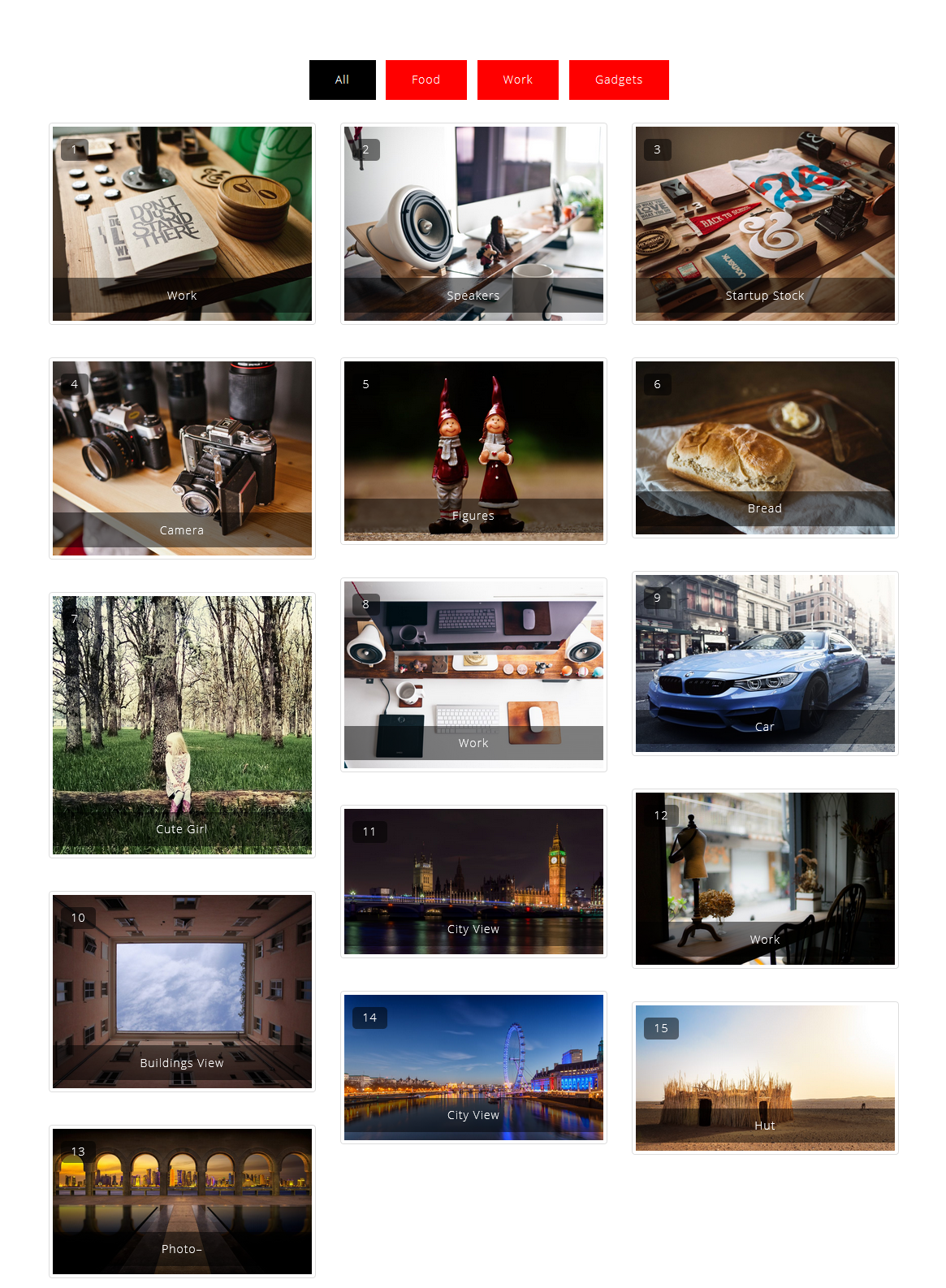
Portfolio Filter Gallery 3 Column With Number And Title 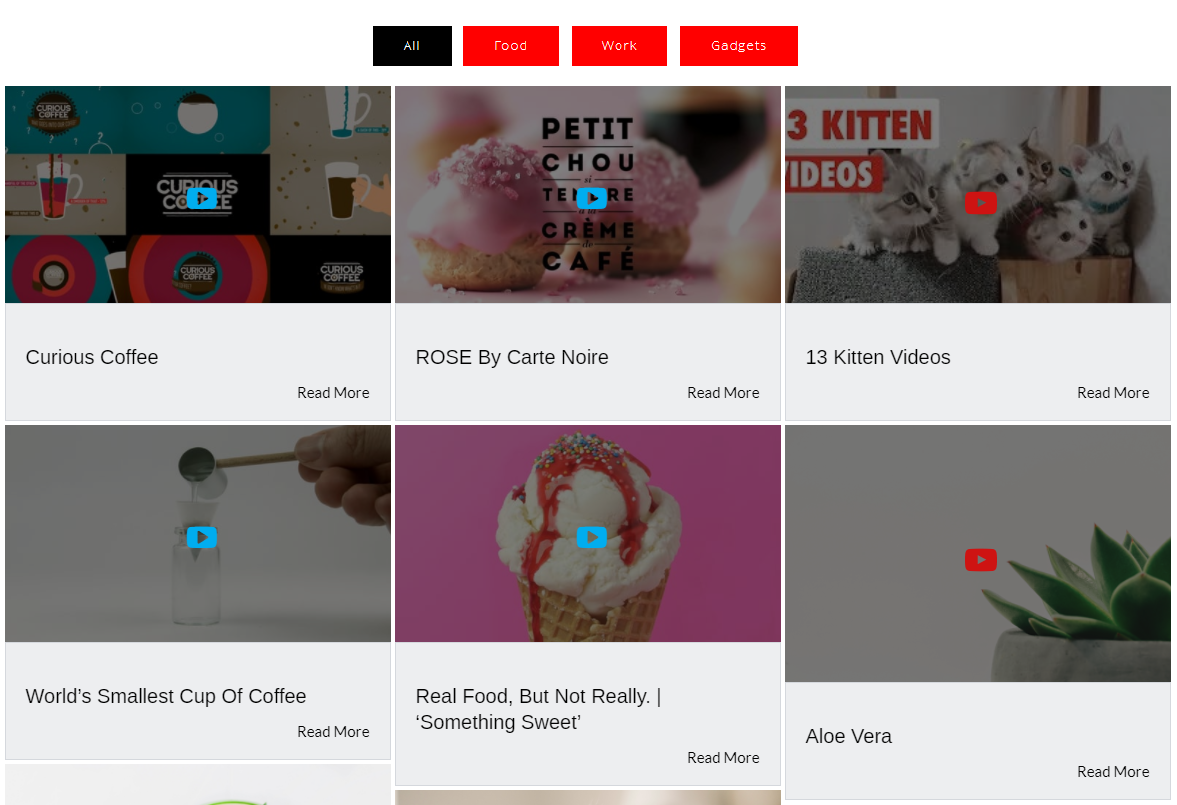
Portfolio Filter Gallery Without Spacing 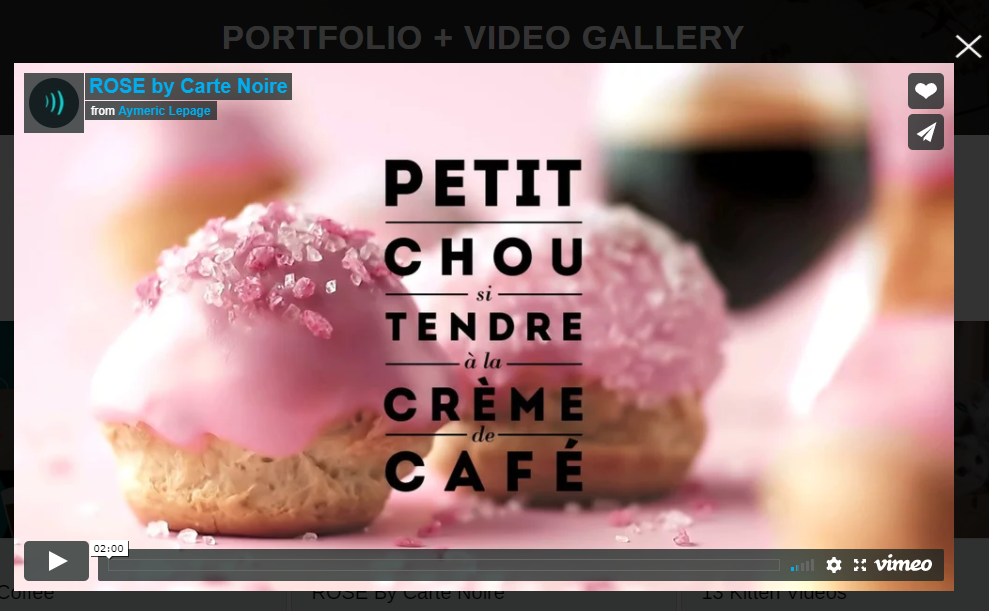
Portfolio Filter Gallery With 2 Column Layout 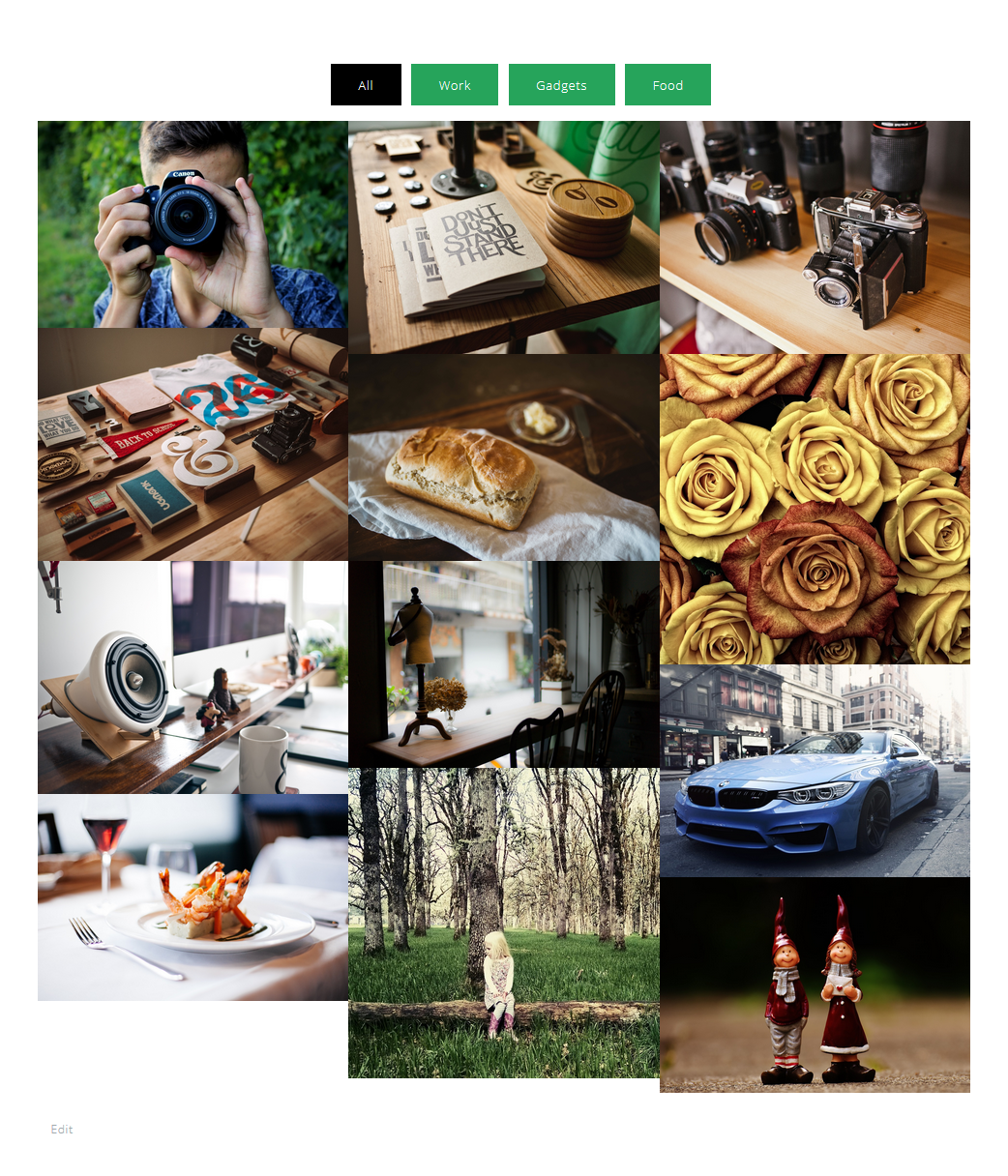
Portfolio Filter Gallery With Gray Scale(Gray Effect On Hover) On Thumbnails 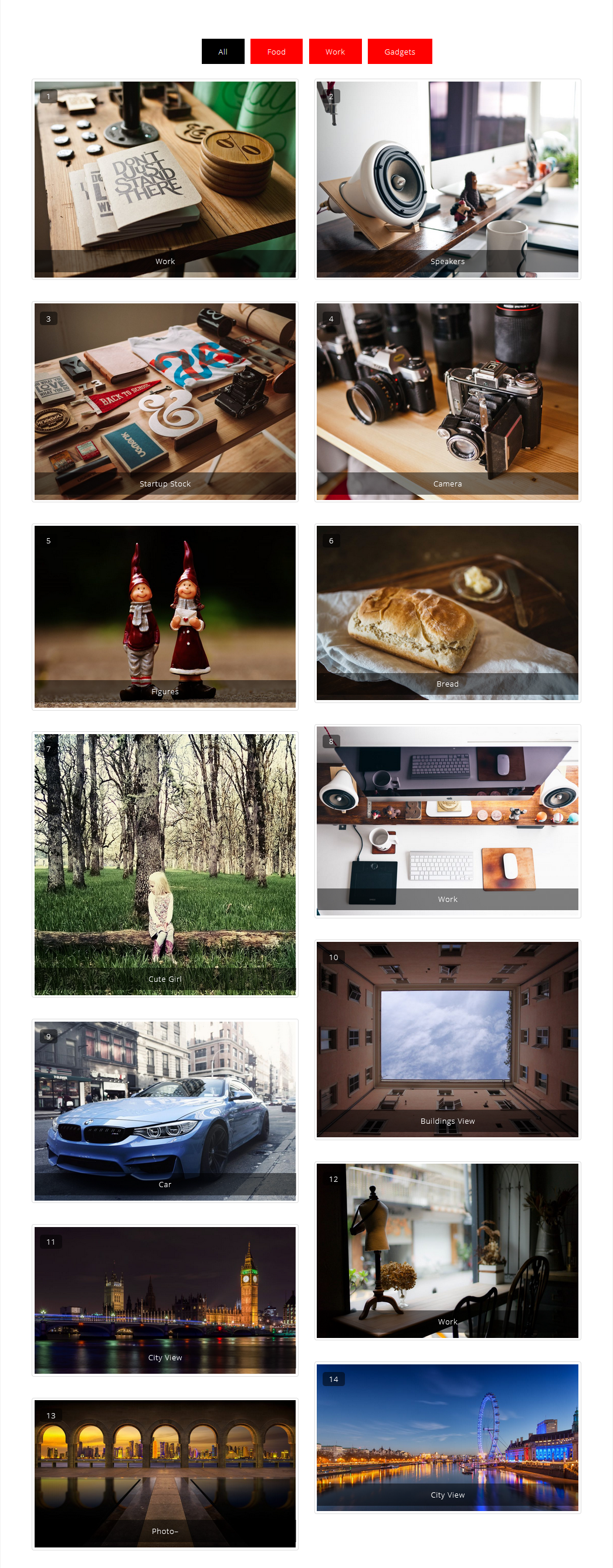
Portfolio Filter Gallery With Masonry 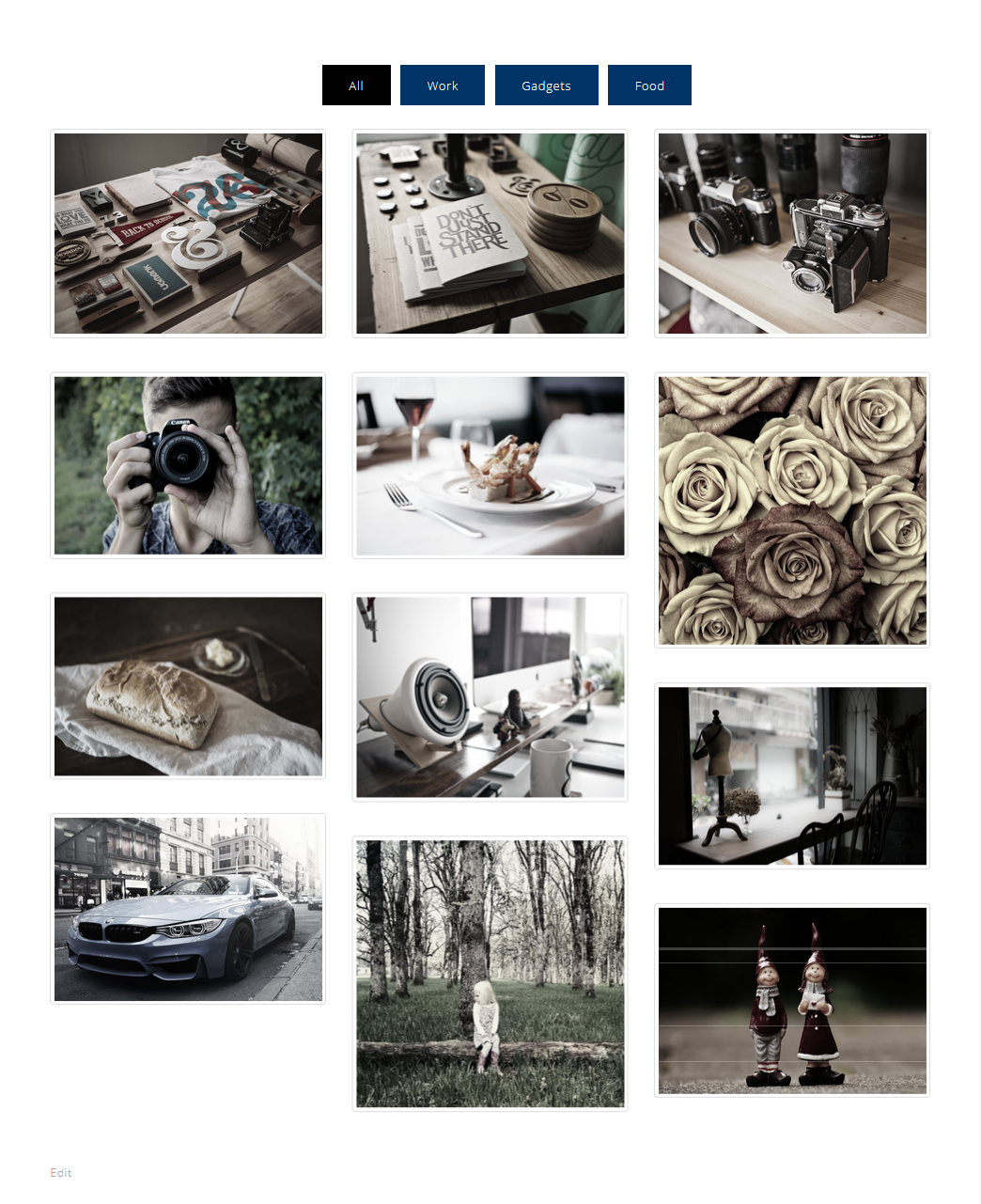
Add Filters In Portfolio Gallery 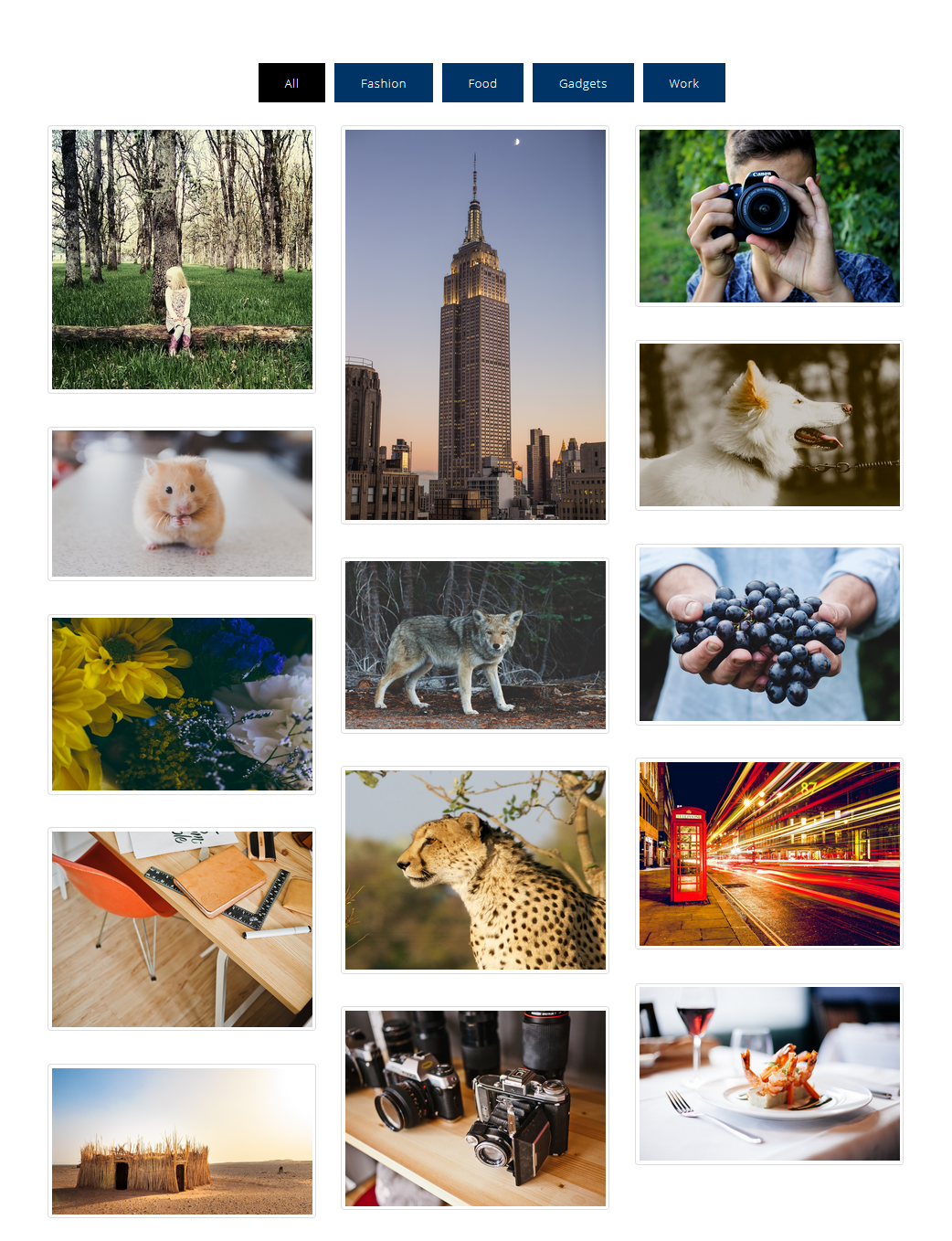
Filter Thumbnails By Portfolio Filters 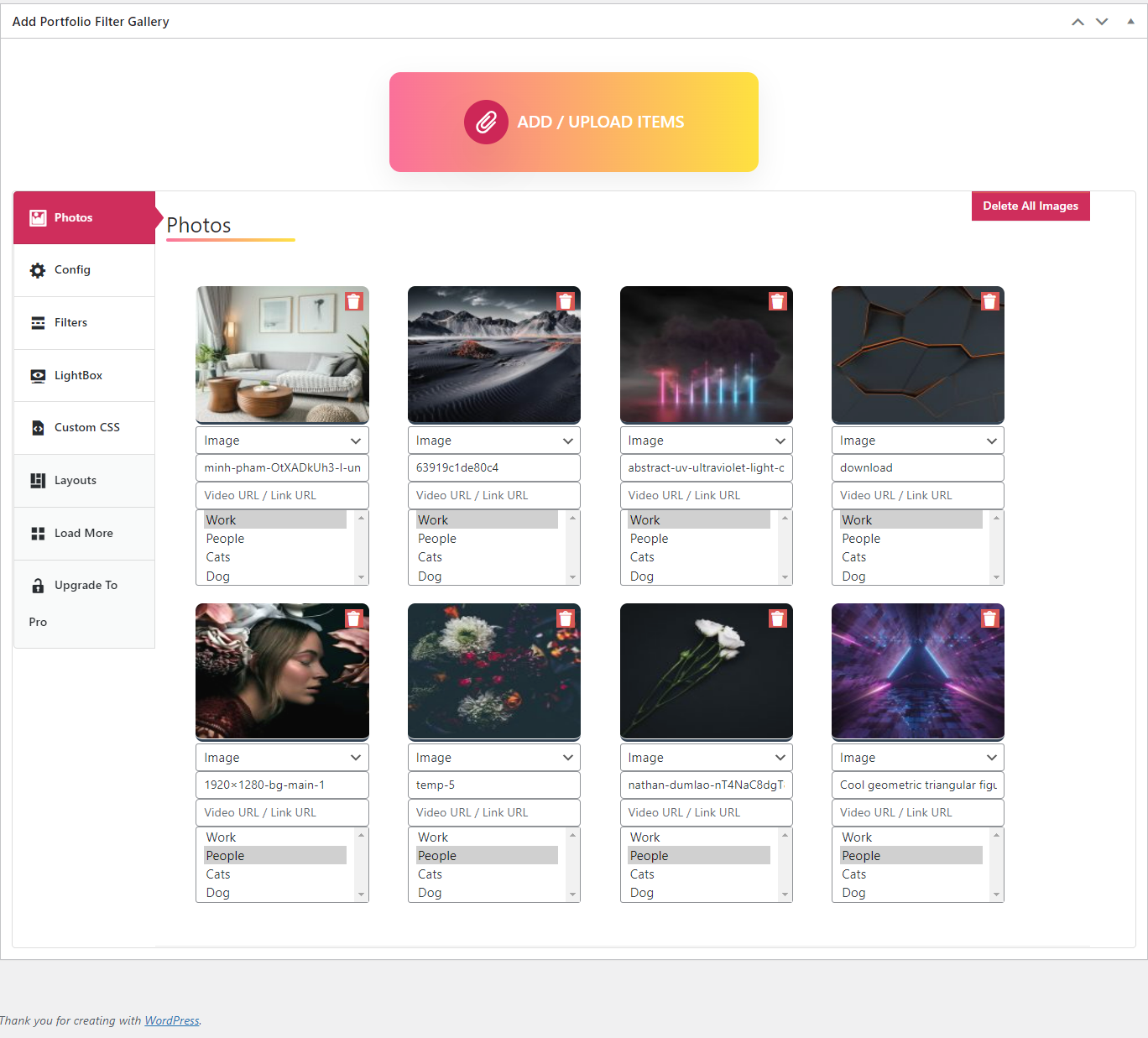
A. Adding Thumbnails B. Shortcode 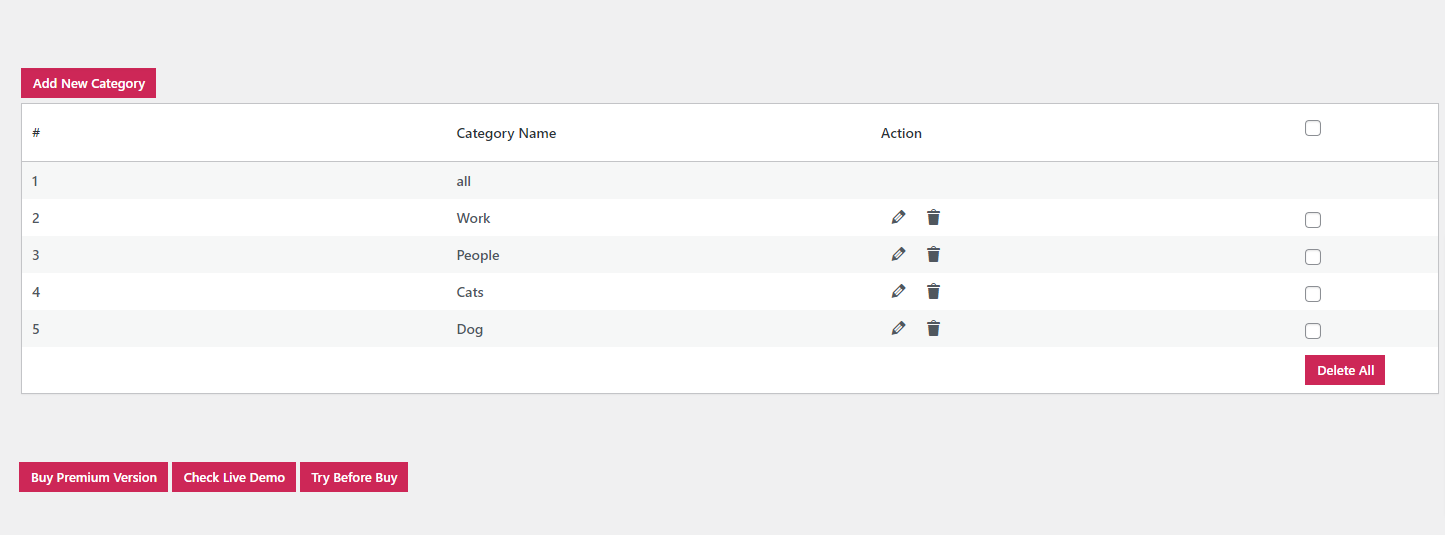
Portfolio Filter Gallery Settings
Installation
Install Portfolio Filter Gallery either via the WordPress.org plugin directory or by uploading the files to your server.
After activating Filter Gallery plugin, go to plugin menu.
Add your filters.
Create Portfolio Filter Gallery, configure settings and save.
Copy gallery shortcode and publish on page/post.
That’s it. You’re ready to go!
FAQ
-
Have any queries?
-
Please post your question on the plugin support forum
https://wordpress.org/support/plugin/portfolio-filter-gallery/
-
How can I create filters for images?
-
In the Portfolio Gallery plugin, you can find a separate page for creating filters Go to Portfolio Gallery menu then click filters submenu.
-
How can I show videos in the plugin?
-
After uploading the images choose the image type = (video) from the select box below the image and then type your video link (Vimeo or youtube) then click on publish or update the post.
-
Is there any limit to upload the images in the plugin?
-
- No, there is no limit for uploading the images, You can upload unlimited images.
-
How to add portfolio galleries to a post or page?
-
- After creating your gallery you will find copy shortcode option. Copy shortcode and just paste it to your page or post to show gallery.
-
How many images and videos can be added to the gallery?
-
- This plugin doesn’t have the limit for images and videos. You are able to add an unlimited amount of photos to your projects.
-
Can I change the sequence of images in the gallery?
-
- When you create a gallery you can see drag and drop option for images so you can drag and drop images to get your desirable gallery.
-
Is Portfolio Gallery responsive?
-
- Gallery plugin has fully responsive design and layout. It is designed to display all of its views and react with your device smoothly.
-
Can I add URL links to the image?
-
- Yes, you can add the links to images. you can find the link option under the image when you will upload.
-
How do I Publish galleries on pages or posts?
-
- Open the post/page you want to display the gallery. Paste your gallery shortcode into text editor and press plublish button to show your gallery or Instagram feed. You can also show the gallery in widget like page or post just paste your shortcode into text widget and your gallery is ready to show.
Reviews


Contributors & Developers
“Portfolio Gallery – Image Gallery Plugin” is open source software. The following people have contributed to this plugin.
Contributors


“Portfolio Gallery – Image Gallery Plugin” has been translated into 2 locales. Thank you to the translators for their contributions.
Translate “Portfolio Gallery – Image Gallery Plugin” into your language.
Interested in development?
Browse the code, check out the SVN repository, or subscribe to the development log by RSS.
Changelog
1.5.8
- Security logic changed.
1.5.7
- Cross Site Scripting (XSS) issue fixed!
- Increased limit of categories.
1.5.6
- Added feature to show image count with filter/category
- Tested with WordPress version 6.4.3
1.5.5
- Tasted with WordPress version 6.4
1.5.4
- Added Shuffle button for backend images.
1.5.3
- Filter page array error fixed.
1.5.2
- Tasted with WordPress version 6.3.1
1.5.1
- Tasted with WordPress version 6.2.2
1.5.0
- Tasted with WordPress version 6.2
1.4.9
- Script ids issue fixed.
1.4.8
- Search issue fixed with hide title.
1.4.6
- CSS Fixed.
- Tasted with WordPress version 6.1.1
1.4.5
- Image CSS fixed.
- php variable Bug fixed.
1.4.4
- Fixed a php bug.
1.4.3
- Fixed little coding bugs.
- Improved UI for better user experience.
- Tasted with WordPress version 6.0.2
1.4.2
- Fixed Security issues.
- Tasted with WordPress version 6.0.1
1.4.1
- Added js for fresh load images.
- Tasted with WordPress version 6.0
1.4.0
- Filter background color is now changeable with custom css.
- Tasted with WordPress version 5.9.3
1.3.9
- Removed Extra Slashes from filters.
- Tasted with WordPress version 5.9.3
1.3.8
- Errors Fixed.
- Tasted with WordPress version 5.9
1.3.7
- Translation Bug Fixed.
- Tasted with WordPress version 5.8.3
1.3.6
- Additional changes: Spanish translation ready.
- Tasted with WordPress version 5.8.2
1.3.5
- Small bugs fixed.
1.3.4
- Gallery loading issue fixed.
1.3.3.1
- Scrolling issue fixed.
1.3.3
- Added exclude wordpress lazy load fuction.
- Tested on wordpress 5.8.
- changes filter sort alphabatical order.
1.3.2
- Fixed Security issues.
1.3.1
- Fixed minor bugs.
1.3.0
- Tasted with WordPress version 5.7.2
- Fixed minor bugs.
1.2.9
- Added LD Lightbox option to show filtred images group
- Fixed image transition issue.
1.2.8
- Tasted with WordPress version 5.6.1
- Fixed lightbox arrow issue.
1.2.7
- Transition issue fixed
- Column ct off issue fixed
1.2.6
- Bug Fixed.
1.2.5
- fixed footer column issue.
1.2.4
- Portfolio Filter Gallery Video Doc updated in WordPres.org description page
1.2.3
- Tasted with WordPress version 5.5
- Fixed minor bugs.
1.2.2
- Fixed All undefine variable bugs.
- Removed etra Js.
1.2.1
- Fixed minor bugs.
1.2.0
- Added Gallery direction option.
- Added option for thumbanail border remove.
- Added option for sort images by title.
- Added option for change “All” text.
- Added option for sort filters alphabatic order.
- Added search option.
- Added filter position option.
- Added Bootstrap js disable option.
- Free Demo Link Added
1.1.8
- Tasted with WordPress version 5.4.2
- Free Demo Link Added
1.1.7
- Fixed issue with anchor tag (hypertext link)
1.1.6
- Mutiple gallery on same page issue fixed
- Bootstrap lightbox issue fixed.
- New Lightbox option added.
1.1.5
- Filter Delete, Edit Bug Fixed
- Typo Error Fixed
1.1.4
- Fix nonce issue
- Fix Bootstrap Lightbox Alignment issue
1.1.3
- Security Fix: Ajax Nonce nonce implemented to delete filter(s)
1.1.2
- Hover effect issue fixed
- Hide filters / category option added
- Bug fixed
1.1.1
- Sanitization added
- Escaping added
- Nonce field added on form and verified while posting data
- Bad coding techniques removed (like Serialize / Base64Encode function removed)
- 1.07 to 1.0.9 settings update button added
1.1.0
- Sanitization added
- Escaping added
1.0.8
- Plugin security added
- Under review
1.0.7
- Fixed column issue
1.0.6
- shortcode feature added in all gallery page
1.0.5
- Add alternative text for images
1.0.4
- Add Loader for gallery
1.0.3
- Fixed jQuery Error
1.0.2
- Fixed spacing issue
1.0.1
- Fixed image loading animation
- Add transition to filters
- Tasted with WordPress version 5.1.1
1.0.0
- Completely Change of dashboard interface
- Add option to change color option for filters
- Now you can choose any color for filter No limit
- Change filters layout
1.0.0
- Completely Change of dashboard interface
- Add option to change color option for filters
- Now you can choose any color for filter No limit
- Change filters layout
0.3.5
- None
- None
0.3.4
- Checked with WordPress 5.0.2
- Remove CSS bugs